Cirrus Tow Bar For Sale
In the market for a tow-bar? This one is basically brand new and hasn’t been used all that much. It has the Cirrus connections on it as well.
For more information, contact Texas Top Aviation.
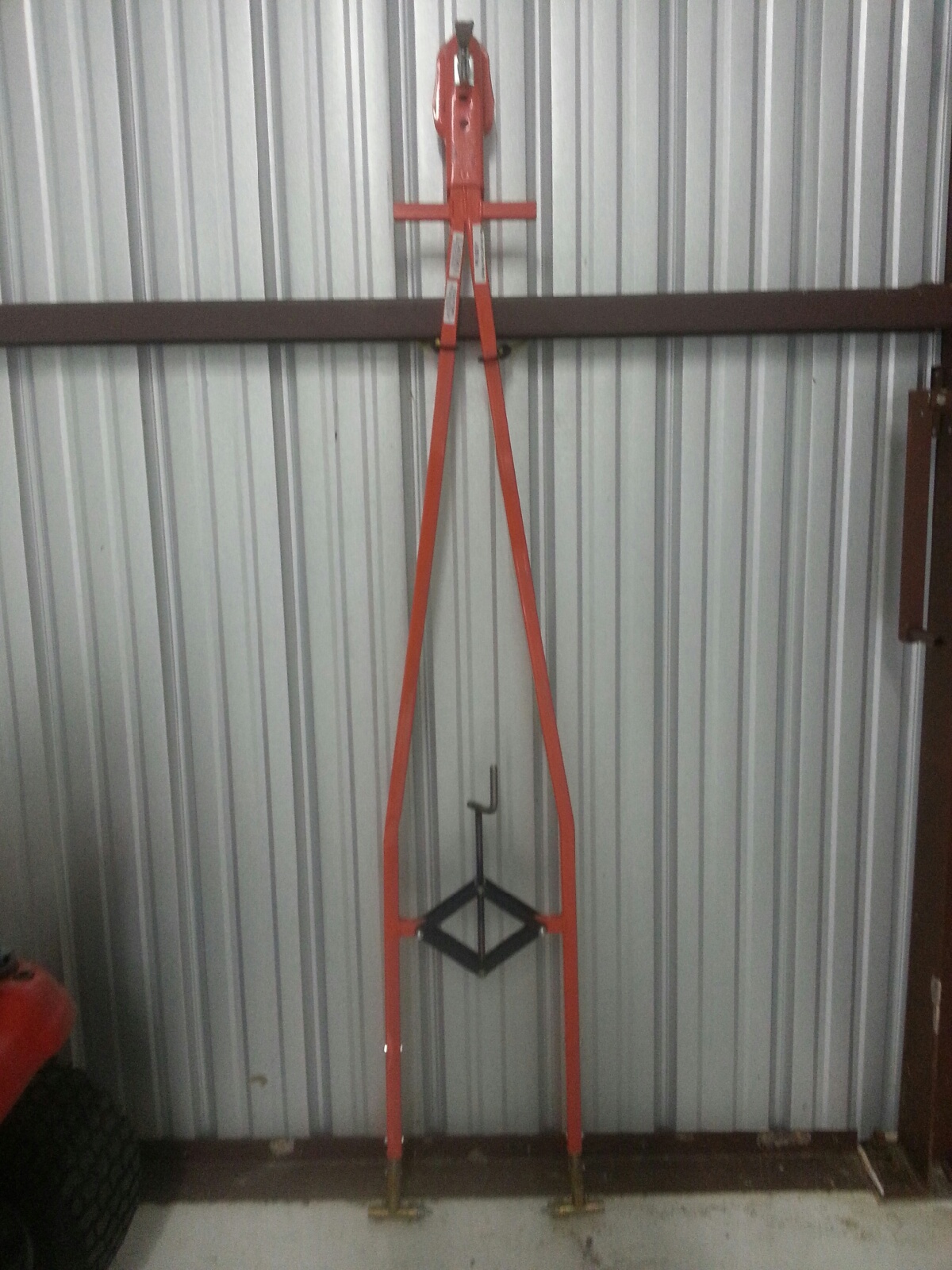

In the market for a tow-bar? This one is basically brand new and hasn’t been used all that much. It has the Cirrus connections on it as well.
For more information, contact Texas Top Aviation.
I began flying a Piper Malibu earlier this year. For those of you not familiar with the original PA-46, a Malibu has a Continental TSIO-320 engine, with 310 HP. It’s pressurized and cruises at about 185-200 KTAS.
A few things are introduced to the equation when pilots start flying higher, faster, and farther. When you start flying over longer distances, weather becomes more of an issue. On a quick hop from, say, Austin to Dallas, you can be pretty sure of what the weather will be since it’s a short trip. When you fly from Austin to LA, leave in the morning, land once along the way, and arrive in the afternoon after spending six and a half hours in the air, weather can change a lot in that amount of time.
A must for any pilot flying high and over long distances is some kind of Nexrad system, whether it be a Garmin 696, or it shows up on your GPS or MFD. Having this situation awareness is very helpful when planning ahead as to what to do about weather. A stormscope is also a handy tool, since you can see where the lightning is with it.
Cold fronts can be pretty nasty, depending on how strong and how fast they are moving. A strong, fast moving cold front usually has a lot of convective activity associated with it. The tricky thing with storms associated with fronts is that storms form in lines, most of the time. If you’re trying to cross a front in the morning, you can usually get high enough over the clouds with a pressurized airplane since the temperature is still relatively low to get clear of the cumulonimbus clouds. The cloud tops will only be around ten or twelve thousand feet.
 Crossing fronts in the afternoon when daytime heating is pushing the tops of the CBs up to the 20-40 thousand foot range, it’s best to land, have a meal, stretch your legs, and wait till the sun starts to go down before pushing on. Do not, under any circumstances, try and go through the cumulonimbus clouds associated with a cold front in a small airplane. Not only is it uncomfortable (the turbulence bounces you around pretty good), but you’ll get ice, scare the passengers, and, if you’re in the heart of a storm, the plane could come apart.
When crossing mountains, the weather is always highly unpredictable. If it’s a clear day, no matter your altitude, you’ll probably pick up some turbulence from all the rising air off the peaks. If there is moisture in the air, there are going to be isolated to scattered thunderstorms in the summer time. The advantage of flying high when there are isolated or scattered storms is you can utilize the see and avoid method.
See and avoid is simple. When the storms aren’t embedded in other clouds, it’s actually rather easy to spot the big, rising clouds and go around them. The same concept holds true when avoiding those pesky pop up thunderstorms in humid areas like Houston and Florida.
 One thing that I learned this summer was this. Sometimes, with an area of closely grouped storms, the cloud base is actually quite high (some storms I went underneath in New Mexico had cloud bases of 15,000 MSL). The thing to do here is just stay below the bases of the clouds and go around the areas of rain. These will be visible and you’ll be able to navigate around them. With bases even as low 9-10 thousand feet, it’s a much better idea to stay below the clouds, sacrifice some speed, and dodge the rain shafts.
The most important concept to take away is don’t fly into a thunderstorm. If there are a bunch of really high clouds in front of you and you don’t see a safe way around them, descend down and land, wait it out, and then continue on your way.
I began flying a Piper Malibu earlier this year. For those of you not familiar with the original PA-46, a Malibu has a Continental TSIO-320 engine, with 310 HP. It’s pressurized and cruises at about 185-200 KTAS. A few things are introduced to the equation when pilots start flying higher, faster, and farther. When you…
The South Central Cirrus Owner’s and Pilot’s Association (COPA) Region is hosting a Fly In dinner at the Austin Executive Airport (KEDC) on Friday, October 8th. The event is from 5-9pm. There will be a cash bar, a catered dinner ($25/person), a special guest speaker, and great mingling amongst the Cirrus owners and pilots in our region!
Fly in or drive to EDC. The dinner will be in the Henrickson Jet Center’s main hangar. You will need to RSVP so event organizers can get a proper head count. The link to RSVP is here.
Cirrus Aircraft will be bringing two new 2016 SR22s that will be available for viewing.
Register for the CATGT before the slots are all filled up!

The South Central Cirrus Owner’s and Pilot’s Association (COPA) Region is hosting a Fly In dinner at the Austin Executive Airport (KEDC) on Friday, October 8th. The event is from 5-9pm. There will be a cash bar, a catered dinner ($25/person), a special guest speaker, and great mingling amongst the Cirrus owners and pilots in…
If you have been searching “Cirrus SR22T for sale” or reading up on the Cirrus Vision Jet, you are looking at genuinely excellent airplanes. Both have earned their reputations. This is not an article about why you should not buy one. It is about a third airplane that almost never shows up in a Cirrus search — and what the numbers look like when you set it next to the two you are already considering.
Let us start where we should. The SR22T is one of the most successful piston singles ever built, and for good reason. Turbo-normalized power that holds performance up high. A Perspective+ flight deck that is about as good as glass gets in a single. Side-yoke handling most pilots fall for inside ten minutes. And CAPS — the whole-airframe parachute that changed how our whole industry talks about safety.
Add strong resale, a deep service network, and one of the best owner communities in aviation, and you have an airplane that is very hard to argue with. If you fly two people and light bags on 300 to 500 nautical mile legs, we would tell you to go buy one — and we would help you find the right one. We also teach Cirrus SR20, SR22 and SR22T training here in Texas, so this is not an outsider’s opinion of the airplane.
The conversation changes when the mission grows.
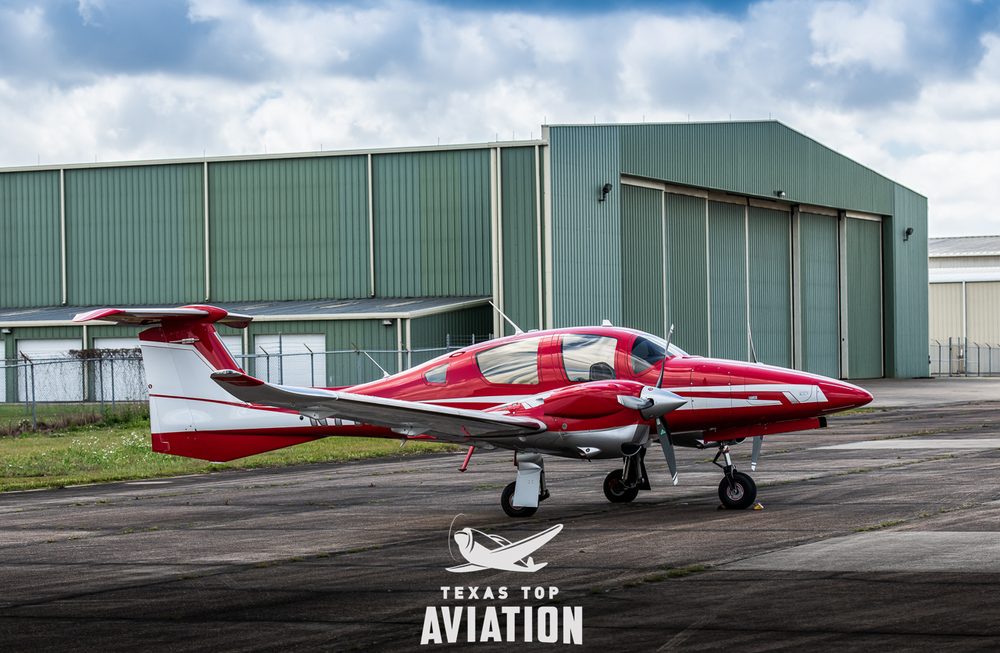
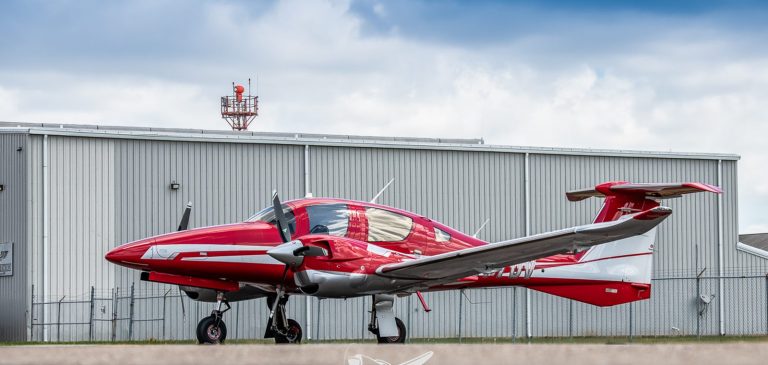
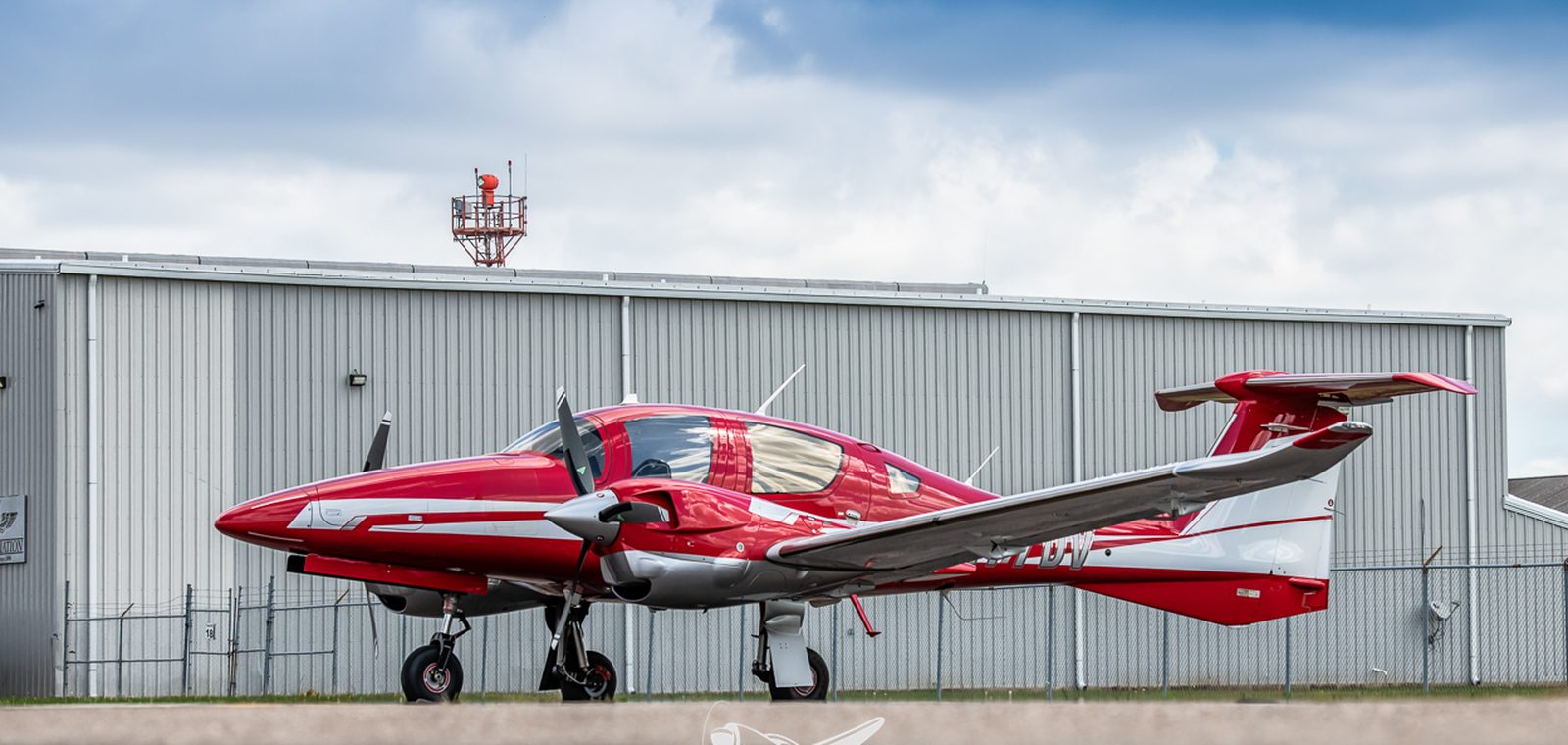
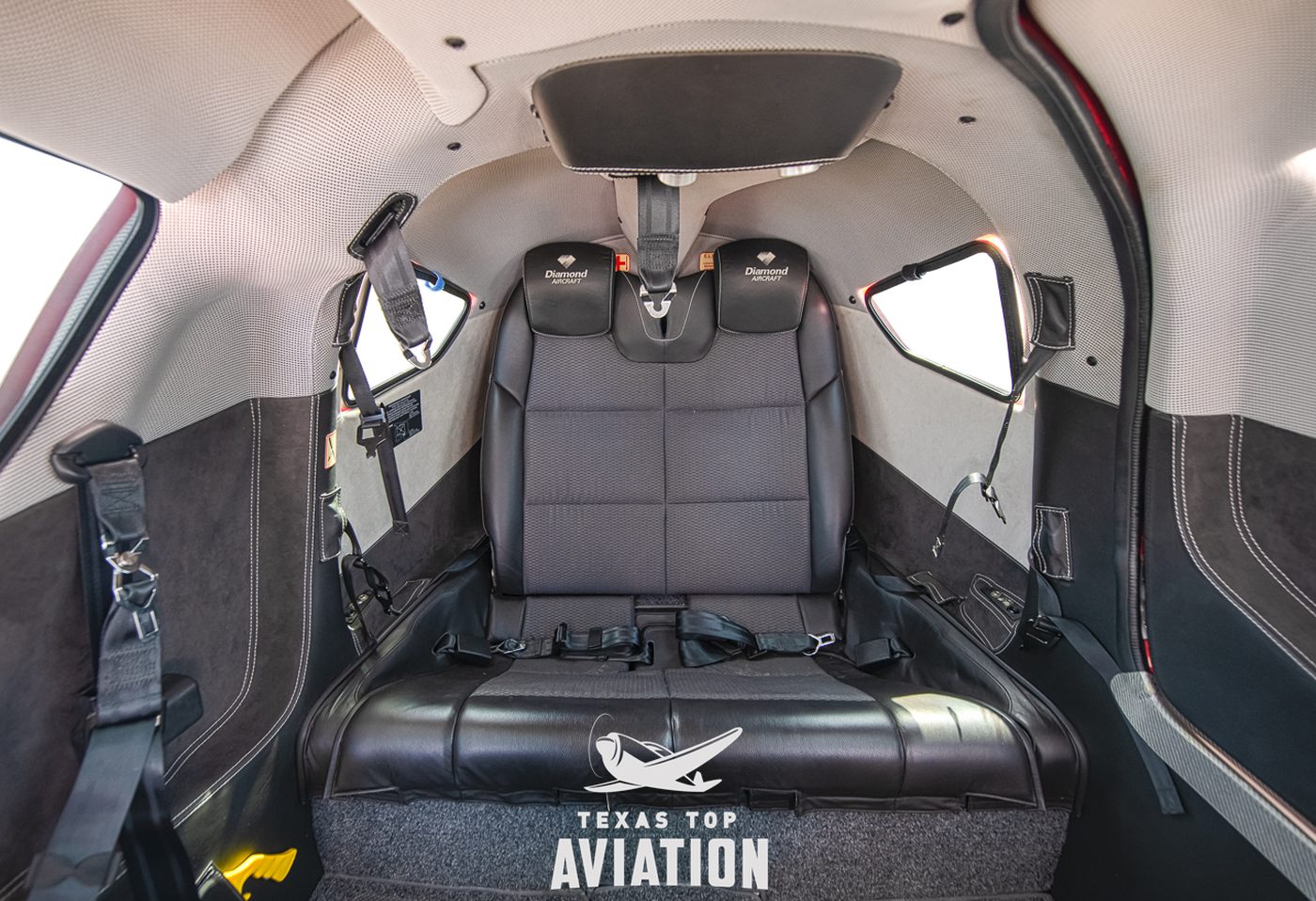
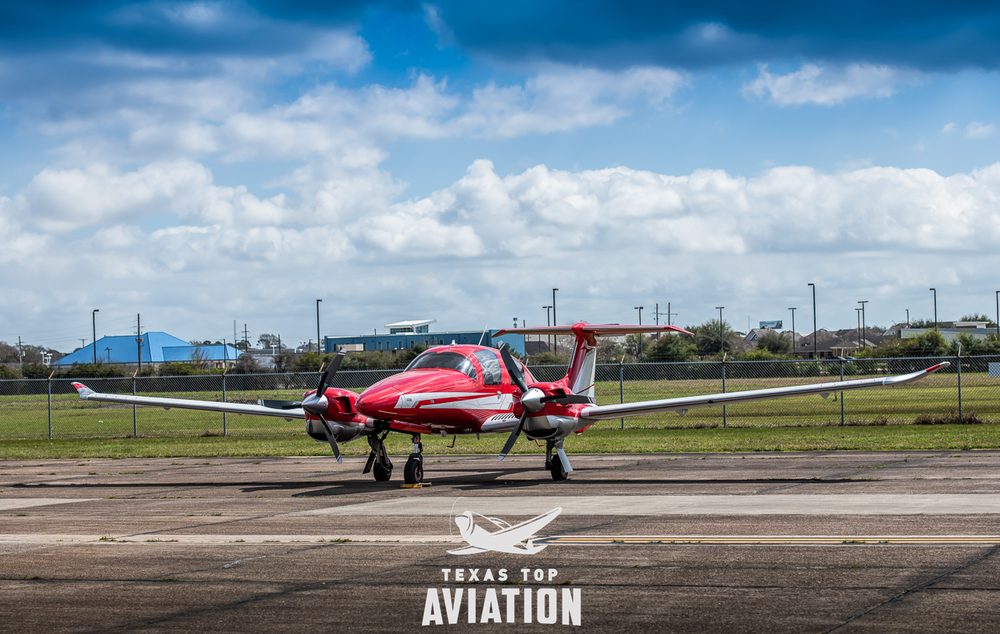
The Diamond DA62 is a seven-seat, twin-engine, Jet-A-burning composite airplane that most Cirrus shoppers have never sat in — usually because it simply never came up in the search. Here is how the two line up on the numbers that matter.
| Specification | Cirrus SR22T | Diamond DA62 |
|---|---|---|
| Cruise speed | 184 KTAS @ 85% power / 10,000 ft | 190 KTAS @ 90% power / 10,000 ft |
| Fuel burn | 18.3 GPH @ 85% (16.4 GPH @ 75%) | 19 GPH total (9.5 GPH per engine) |
| Fuel type | 100LL AvGas | Jet-A (~$1.75/gal cheaper) |
| Seats / rows | 5 seats, 2 rows | 7 seats, 3 rows |
| Useful load | ~1,125 lb (3,600 lb MTOW) | 1,341 lb (5,071 lb MTOW) |
| Full-fuel payload | ~575 lb | 762 lb |
| Range, 4 adults + 75 lb bags (835 lb) | ~320–350 nm | ~648 nm (45-min reserve) |
| Takeoff over 50-ft obstacle | 2,080 ft | 1,575 ft |
| Landing over 50-ft obstacle | 2,535 ft | 1,447 ft |
| Single-engine service ceiling | — | 11,000 ft |
| Engine-out redundancy | CAPS parachute | Second engine |
| Recurring safety-system cost | ~$20,000 CAPS repack / 10 yr | None |
| Rating required | High-performance endorsement | Multi-engine (~1 week, at home) |
Cirrus SR22T figures are taken from the Cirrus SR22T G6 Pilot’s Operating Handbook (P/N 13772-007, Reissue A): cruise at ISA and 3,400 lb, takeoff and landing over a 50-ft obstacle at sea level, ISA and 3,600 lb max gross.
Read that speed line carefully, because it is closer than the marketing on either side suggests. At 10,000 feet the DA62 has about six knots on the SR22T — real, but hardly decisive. Climb higher and the advantage flips outright: the SR22T is turbo-normalized, so at 18,000 feet the POH shows 198 KTAS on the same 18.3 gallons an hour, comfortably faster than the DA62. If raw speed is what you are buying, the Cirrus has a genuine answer.
Where the DA62 separates itself is everything around the speed. It burns Jet-A, which runs roughly $1.75 a gallon under 100LL at most FBOs and is available at airports where AvGas gets harder to find every year. And the full-fuel payload gap is 187 pounds. Payload is where light-airplane trip plans quietly fall apart.
Spec sheets get written for two people. Real trips are not flown that way.
Load four adults and 75 pounds of luggage — call it 835 pounds — and the SR22T has to leave fuel on the ramp. On a typical G6 empty weight that leaves room for roughly 48 of its 92 usable gallons, and realistic range lands around 320 to 350 nautical miles with IFR reserves. Put that same 835 pounds into a DA62 and you are looking at roughly 648 nautical miles with a 45-minute reserve.
To be fair to the airplane: with full fuel and two people aboard, the SR22T is genuinely long-legged. The POH shows 763 nm at 10,000 feet and 791 nm at 18,000 feet on a 45-minute reserve. The range only collapses when you fill the seats — which is precisely the mission this comparison is about.
That is not a rounding error. That is one fuel stop versus none on a Texas-to-Colorado weekend. And the DA62 does it across three rows, with two seats still open behind you.
If your search has moved from the SR22T up to the Vision Jet, that airplane deserves real credit too. Cirrus did something nobody else managed: a single-pilot personal jet, with CAPS, delivered in volume, flown successfully by owner-operators. That is a genuine achievement in this industry, and we teach Cirrus Vision Jet training ourselves.
The G1 specifically, though, asks for a level of commitment that surprises a lot of first-time jet buyers.
Compare that training path to the DA62. A multi-engine rating is all that is required — roughly one week, typically at your home airport, with no hotel and no travel. There is no annual sim requirement in another state, and no recurring five-figure training line item on the budget.
Performance over a 50-foot obstacle is where your airport list gets long or short. The DA62 clears it in about 1,575 feet on takeoff and 1,447 feet on landing. The SR22T needs 2,080 and 2,535 feet. The Vision Jet G1 needs 3,192 and 3,011 feet.
That is roughly 500 feet less than the SR22T on departure and nearly 1,100 feet less on arrival — and against the G1 the gap is wider still. Practically, that difference is what gets you into the shorter ranch, lake and mountain-adjacent strips that a lot of the best flying runs on. That is not a spec. That is a different set of weekends.
CAPS is a real safety system and we will not say otherwise. It has saved lives, and it deserves the respect it gets. It also carries a cost most buyers do not budget for: the rocket and canopy repack runs about $20,000 every ten years, and it is not optional.
The DA62 answers the same question a different way. Lose an engine and you still have one making power, turning counter-rotating props, managed by a FADEC that keeps it to a single lever per side. One number to know either way: the DA62 single-engine service ceiling is 11,000 feet, so on one engine it will hold altitude over most terrain but not over the high country. Neither answer is wrong — they are two philosophies about the same risk. The DA62 version just does not come with a recurring five-figure bill.
Only down low, and only slightly. At 10,000 feet the Diamond DA62 cruises at 190 KTAS at 90% power on 19 GPH of Jet-A total, while the Cirrus SR22T G6 POH shows 184 KTAS at 85% power on 18.3 GPH of 100LL. Higher up the SR22T is the faster airplane — its turbo-normalized engine holds 198 KTAS at 18,000 feet on the same fuel flow. The DA62 advantage is fuel cost, payload and runway, not raw speed.
The DA62 carries a 762 lb full-fuel payload across seven seats in three rows. The Cirrus SR22T has a useful load of about 1,125 lb and a full-fuel payload of roughly 575 lb. Loaded with four adults and 75 lb of bags — 835 lb total — the DA62 flies about 648 nm with a 45-minute reserve, while the SR22T is closer to 350 nm.
The Vision Jet G1 requires a full FAA type rating: about two weeks of initial training in Knoxville, Tennessee, plus 25+ hours of additional dual for insurance, plus annual simulator recurrent back in Knoxville that runs $15,000–$25,000 per year on an ongoing basis. The Diamond DA62 requires only a multi-engine rating — about one week, usually at your home airport, with no travel.
Yes. Over a 50-foot obstacle the DA62 takes off in about 1,575 ft and lands in about 1,447 ft. The Cirrus SR22T needs about 2,080 ft and 2,535 ft, and the Cirrus Vision Jet G1 needs about 3,192 ft and 3,011 ft. The Vision Jet G1 also sees climb rate fall to 1,100–1,200 fpm at heavier weights and loses thrust at higher density altitude airports.
No. The DA62 redundancy is a second engine rather than a parachute. One practical difference in ownership cost: the Cirrus CAPS repack runs about $20,000 every ten years and is mandatory, while the DA62 has no equivalent recurring safety-system expense.
Current Diamond DA62 market listings are aggregated on Controller: browse the Diamond DA62 inventory.
Contact Us Today!
Contact Texas Top Aviation•(512) 270-1298•Contact@txtopaviation.com
Shopping a Cirrus SR22T or Cirrus Vision Jet? A numbers-first look at how both compare to the Diamond DA62 on speed, payload, range, runway performance and the real cost of training.
He prowls around, preying on innocent pilots.
He’s very sneaky, creeping unexpectedly and attacking after the propeller begins to turn.
He’s very cunning, veiling his intentions until, BOOM, he attacks.
Beware of the Lunch Monster!

Whenever I am doing a full day of training (which is usually how transition training courses are planned out, in full day sessions), I always plan a lunch stop. My metabolism has the speed of a rocket ship, so I get hungry and need some sustenance in the middle of the day. I have a running list of airports to stop at that have good lunch spots at them or nearby, so my customers and I usually end up at one of those airports.
Almost without fail, if a customer is having an excellent flying morning, nailing all the procedures, picking up all the techniques, and overall, flying pretty well, then eats lunch, the afternoon doesn’t go quite as well. Doing some of the same things we did that morning, but the customer’s performance isn’t quite as good. Most of the time, it’s just a brain lockup or landings aren’t quite as squeaky as they were in the morning.
Part of it is fatigue after flying for 2-3 hours in the morning. The other part is what I call the Lunch Monster. Eating a big lunch can sap away brain power and cause a person to lose energy around 2-3pm, leading to an afternoon lull (or the Lunch Monster attacking!).
According to Forbes.com:
Diet contributes to energy levels too. “Eating a lunch that is too big is the most common reason for feeling sleepy in the afternoon,” says Rebecca Solomon a nutritionist at Mount Sinai Hospital in Manhattan. “All your energy goes into digesting the enormous meal.”
The goal is to keep the body’s Cortical and Cortisone levels even since they’re the hormones released by the body in reaction to stress–they produce the fight or flight response. Their levels are elevated when you have sugar, caffeine and processed food, so you feel awake and energetic. But a few hours later, when those levels drop, you’re sluggish.
Solomon recommends eating a meal that’s balanced with healthy fats (from olive oil or avocados, for instance) with protein and healthy carbohydrates (whole wheat bread or pasta). The portion will vary for people of different sizes, but a general rule is you should be hungry about four hours after the meal.
Another healthy eating habit: Consume small portions of foods throughout the day, including almonds, carrots and hummus and fruit. Enjoy lunch around 1:30 or 2 p.m., just before the time you normally feel fatigued.
Now, most of the stops on my list of restaurants don’t fit the bill of healthy fats and healthy carbohydrates (plenty of protein, though, especially the BBQ joints). For those days, bringing along a snack like almonds or dried fruit is a great idea to munch on mid-afternoon. Trimming down the amount eaten at lunch helps a lot too.
So, the next time you have a long day of flying or training, beware the lunch monster and prep some good snacks when your flight instructor says you’re stopping for BBQ!
He prowls around, preying on innocent pilots. He’s very sneaky, creeping unexpectedly and attacking after the propeller begins to turn. He’s very cunning, veiling his intentions until, BOOM, he attacks. Beware of the Lunch Monster! Whenever I am doing a full day of training (which is usually how transition training courses are planned out, in…
The AOPA’s Air Safety Foundation will be returning to Texas this coming week with their After the Crash: Surviving An Aircraft Accident seminar. Though aircraft accidents are rare to most pilots, they still happen. It is best to be prepared with the proper knowledge and supplies in case you are stranded in a remote area while awaiting help to arrive.
The seminar will cover the following items:
The seminar will be put on in Houston, San Antonio, and Austin on three consecutive nights, the 20th-22nd, so everyone will get a chance to attend. The location and times are below.
No signup is necessary, just show up and be ready to learn. The seminar does count for WINGs credit and there will be a sign in sheet at each event.
The AOPA Air Safety Foundation puts on numerous seminars throughout the country during the year covering a wide variety of topics relevant to general aviation pilots. The content is always interesting and the presenter always knowledgeable and entertaining. Hope to see you there!
Wyndham Hotel, Houston West
14703 Park Row Blvd.
Houston, TX 77079
7:00pm-9:00pm
Doubletree Hotel, San Antonio Airport
37 NE Loop 410
San Antonio, TX 78216
7:00pm-9:00pm
Omni Hotel, Southpark
4140 Governor’s Row
Austin, TX 78744
7:00pm-9:00pm
For more information on the event and the locations, please click here.
The AOPA’s Air Safety Foundation will be returning to Texas this coming week with their After the Crash: Surviving An Aircraft Accident seminar. Though aircraft accidents are rare to most pilots, they still happen. It is best to be prepared with the proper knowledge and supplies in case you are stranded in a remote area…
A new app came out last year that fits a need for many owners. Coflyt, available on the Apple App Store for $14/month for up to two airplanes, helps immensely with staying organized. Those questions of, “When is my oil change due?” or “Has the plane had it’s IFR inspections?” are easily answered by checking the app instead of having to dig through maintenance logs.

Not only does Coflyt help keep track of maintenance, but it also houses squawk lists that owner’s can send to maintenance shops as well as keeping track of Airworthiness Directives. If the pilot remembers at the end of flights to put the amount in, it even shows how much fuel is remaining in the airplane.
For flying clubs and partnerships, it provides easy scheduling without having to share calendars. Payments can also be taken and flights tracked. No more paper flight sheets after flights to track down.
As a pilot, it helps immensely to be organized. For $14 a month ($36/month for partnerships or flying clubs), that’s a small price to pay.
A new app came out last year that fits a need for many owners. Coflyt, available on the Apple App Store for $14/month for up to two airplanes, helps immensely with staying organized. Those questions of, “When is my oil change due?” or “Has the plane had it’s IFR inspections?” are easily answered by checking…
