|

How to Get the Current Weather

For a long time, I was happy if an FBO had a radio where I could tune the ATIS or automated weather before getting into the plane. This would allow me to skip listening to the weather in the airplane with the engine running, giving me a quicker exit from the ramp while burning a little less fuel. I would also be able to brief my taxi route from the ramp since I would know which runway was in use before getting in the plane.

As we progress forward in technology, I’m constantly amazed at how much more planning I can do from the palm of my hand. Now, I can call a phone number and get the ATIS, AWOS, or ASOS, depending on the size of the airport; if you prefer reading a text version…well, there’s an app for that.

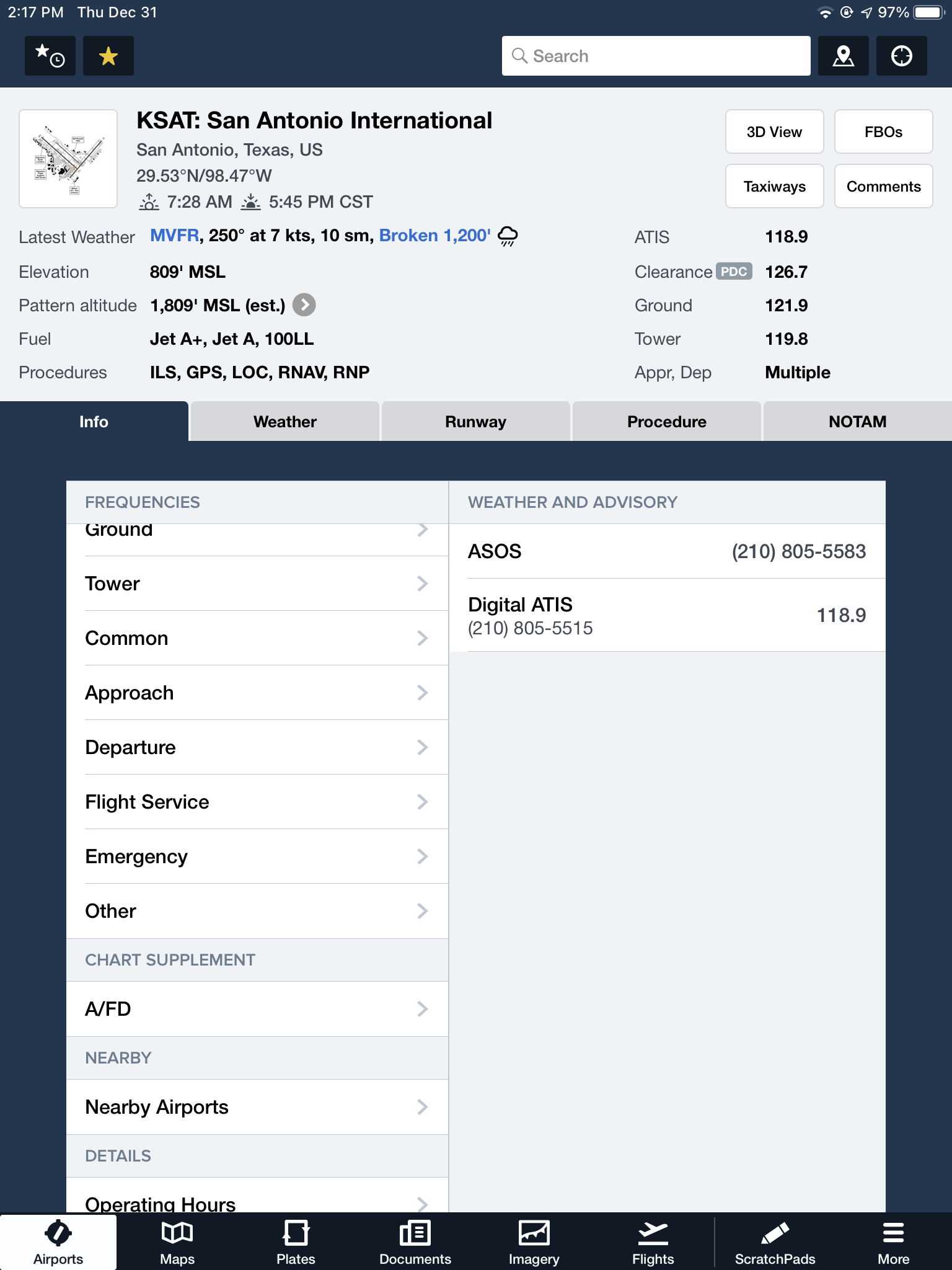
With this technology, it’s very important for pilots to be aware of what service they are utilizing when calling these numbers. Usually only a Class B or larger Class C airport will have a phone number specifically for ATIS as well as one for AWOS/ASOS. These are listed in the Airport/Facility Directory (AFD), as well as all flight planning apps (Foreflight, Garmin Pilot, Stratus Insight). More then one pilot has called the AWOS/ASOS number for an airport thinking they would receive the ATIS (because towered airports that have ATIS phone numbers often also have AWOS/ASOS phone numbers that are different). Since the pilot didn’t hear a code on the phone, that led to the false thinking that either the tower was closed or the pilot did not have the code (ie. Information Bravo) to give to ground control when calling for taxi instructions.  The minute weather can be very useful for flight planning, but the ATIS must be received before contacting ATC at a towered airport.
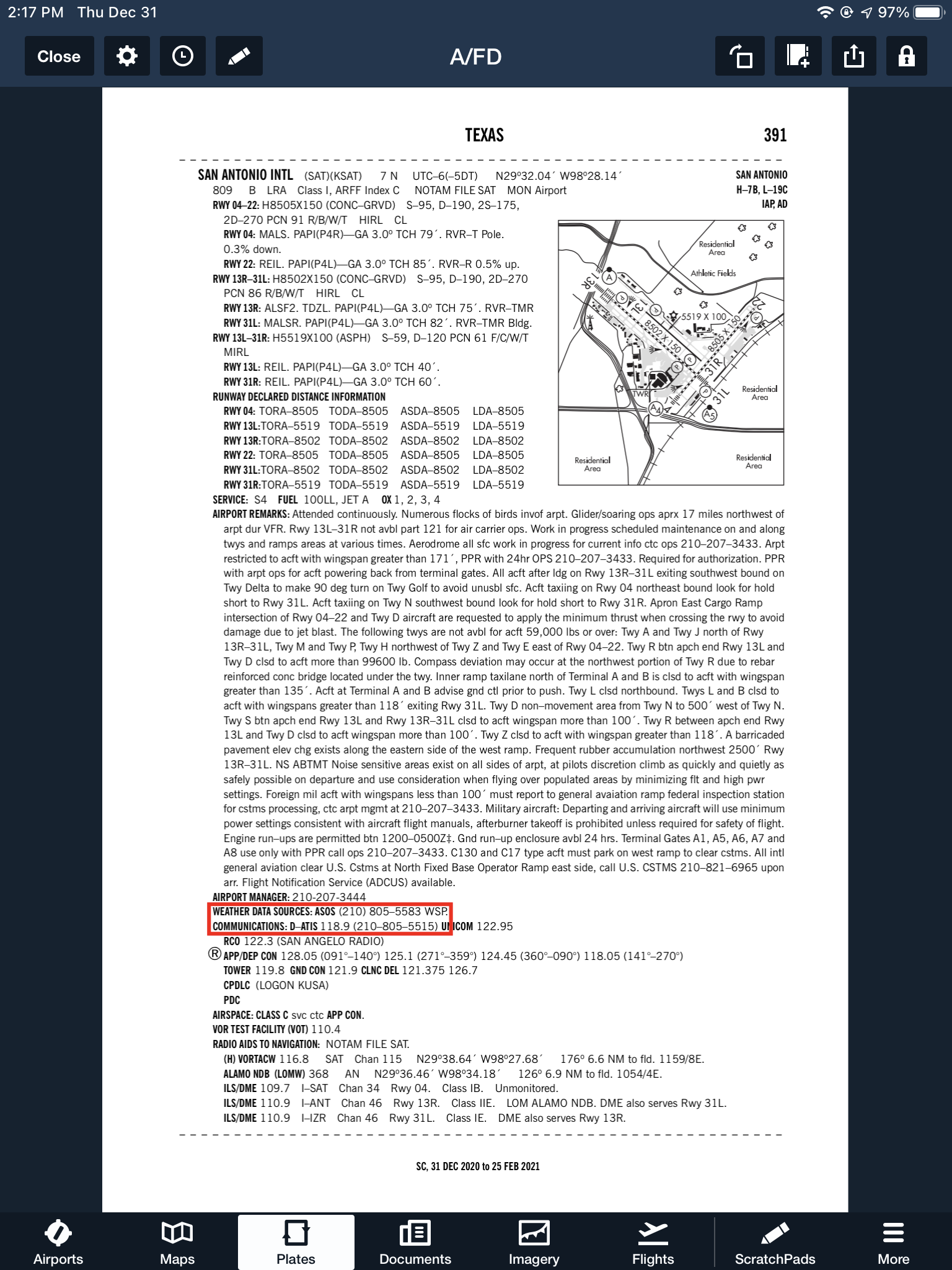
Notice the red box just past halfway down the page. There is a phone number for the ASOS at KSAT and a separate phone number for the ATIS next to the frequency.

Sometimes, you may get a busy tone if someone else is on the line. Usually, waiting a few minutes and trying again will lead to success. Just like old school phone lines, only one call can go through at at time! If it’s a particularly stormy day, you may be fighting a number of pilots to get on the line. In this case, an app where you can read the ATIS may be particularly helpful (Yes, there actually is a dedicated ATIS App!).

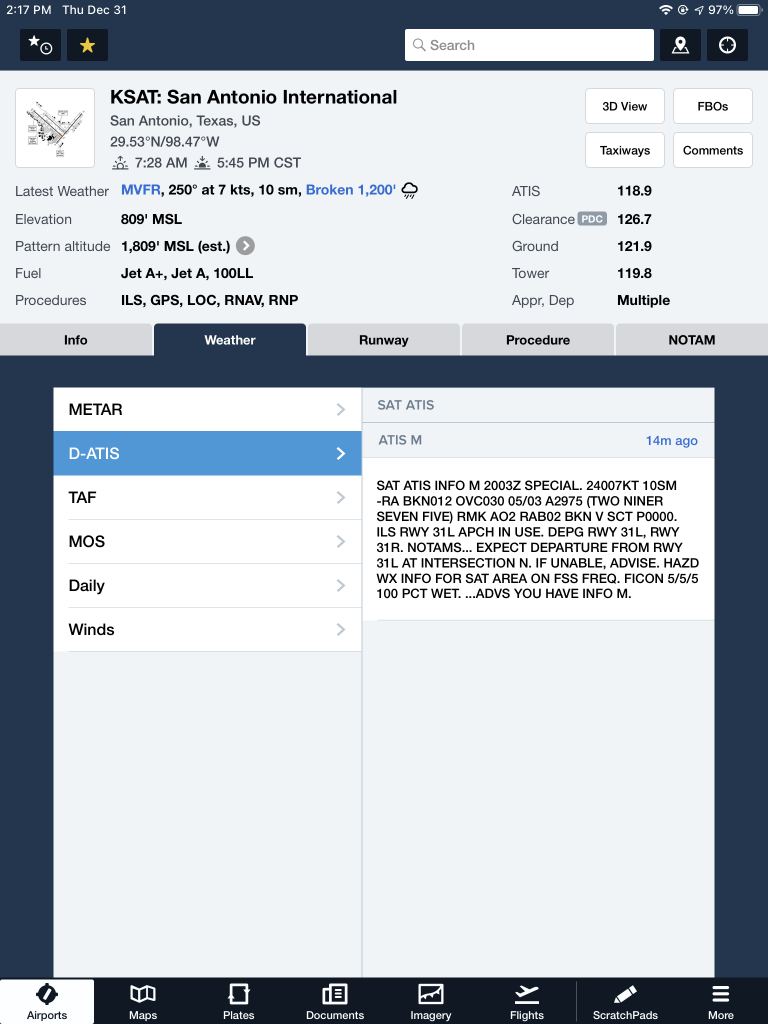
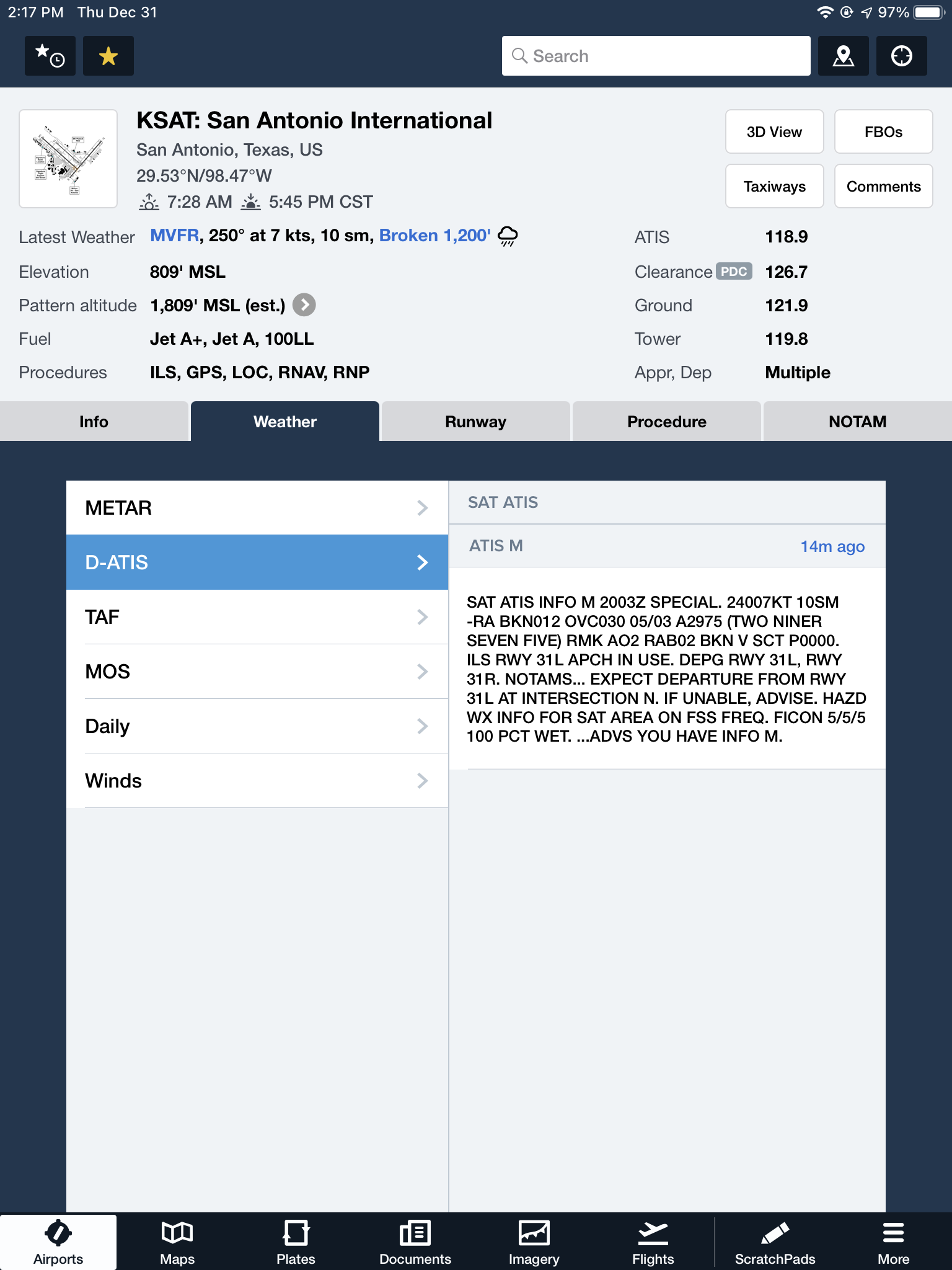
The ATIS app allows us lowly pilots without an Aircraft Communicating and Reporting System (ACARS) to access the Digital ATIS (D-ATIS ) at airports where ATIS is available. Only 76 airports in the US have D-ATIS, most of which are either Class B or busier Class C airports. Foreflight also provides D-ATIS textually at the same 76 airports, though it is only accessible depending on which subscription level you have with Foreflight (since I’m not a Garmin Pilot or Stratus Insight user, I’m not sure if either of them give D-ATIS reports).

ATIS App Symbol

With Foreflight’s D-ATIS, it does not get updated over ADS-B, only when your iPad or phone have an internet signal. When inbound to an airport with D-ATIS, the pilot has to listen to the radio frequency to get the current ATIS. Foreflight will display the last D-ATIS it received, but typically, it’s old. Check the time in the upper right hand corner.
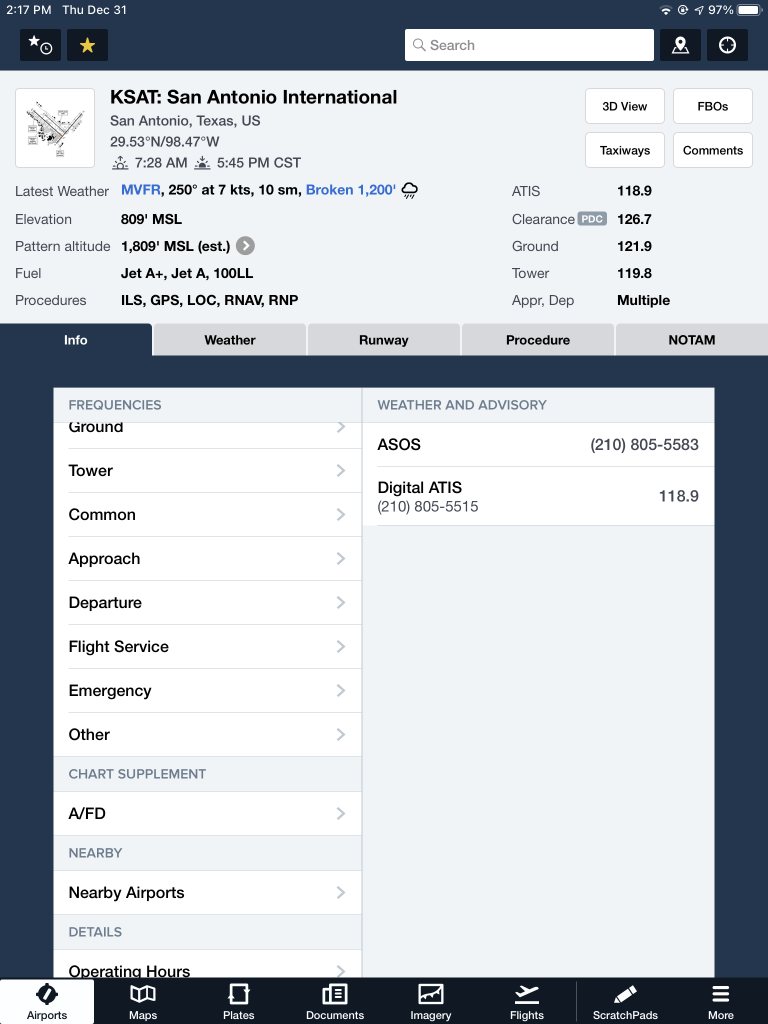
Foreflight now offers Pre-Departure Clearance (PDC) at those same 76 airports. With either a pre-registered tail number or a Foreflight call sign (starting in FFL), once a pilot files an IFR flight plan, the D-ATIS and the IFR clearance in it’s entirety are texted to the phone number the pilot filed with. All that is left to do is call ground, state “I have information Romeo and my clearance, ready to taxi,” then away you go. Skipping listening to the ATIS and talking to Clearance Delivery saves a good 5-10 minutes at times, depending on how busy the airport is.

These days, there are many different avenues to get the current weather (and IFR clearances!). When calling on the phone, the key is to be aware, know which number you are calling and, if you are expecting to hear an ATIS message but instead hear the AWOS/ASOS, verify the Chart Supplement Guide and Notices to Airmen (NOTAMS) to check tower hours of operation before flying into the airspace. 

Similar Posts

  • Garmin Perspective Tips & Tricks

    The Garmin Perspective and Perspective + are awesome pieces of equipment.  There is so much a pilot can do with this system that it can sometimes get overwhelming. There are two very important features of the Garmin Perspective that all IFR pilots need to know, but are tricky to do if the correct buttons aren’t pushed.

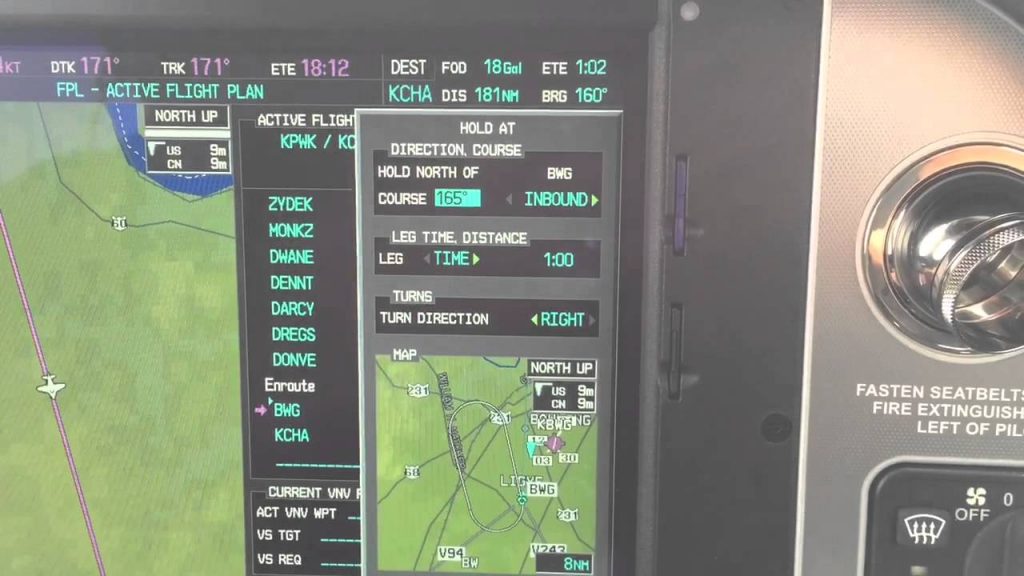
    The two features of the Garmin Perspective I want to focus on today are the “Load Airway” feature and the “Hold at Waypoint” feature.  The “Load Airway” feature is especially handy when flying IFR long distances with several airways as part of the clearance.  Here’s how to utilize both on the Garmin Perspective.

    Load Airway

    • On your flight plan page, insert the waypoint where you will be joining the airway, or, if your clearance was radar vectors to join an airway, then insert the waypoint on the airway that begins the leg you will be joining on
    • Press the Menu key on the keypad
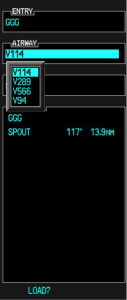
    • A menu will pop up. Scroll down to highlight Load Airway
    • Highlight the Airway you want from the next menu that pops up then press Enter
    • Then, a list of waypoints will display to exit the airway. Highlight the waypoint where you will be exiting the airway and Press Enter
    • The cursor will then move down to Load at the bottom of the menu. Press Enter to load the airway
    • The Airway and all the waypoints in between your entry and exit waypoints appear in your flight plan
    • If you are getting vectors to join the airway, you’ll need to use the Activate Leg function to activate the leg you will be joining the airway on
      • On the Flight Plan page, highlight the waypoint that ends the leg you want to activate
      • Look for the ACT LEG soft key on the lower right hand side of the MFD and press
      • This Activates the leg on the airway. Then, just simply fly the heading assigned by ATC until the CDI needle centers showing you are on the airway

    Hold At Waypoint

    The Garmin Perspective allows pilots to place a holding pattern at any waypoint that is in the Nav Database (or any user created waypoint).  Here’s how to do it.

    • On the Flight Plan page, highlight the Waypoint that you want to hold over and press Menu on the keypad
    • On the menu that pops up, highlight Hold At Waypoint and press Enter
    • On the next menu that pops up, input either the inbound or outbound course, right or left turns, leg time or distance, and the EFC time, then highlight Load and press Enter
    • You will see the hold now as a Waypoint in your flight plan

    The Garmin Perspective and Perspective + are awesome pieces of equipment.  There is so much a pilot can do with this system that it can sometimes get overwhelming. There are two very important features of the Garmin Perspective that all IFR pilots need to know, but are tricky to do if the correct buttons aren’t…

  • Making An Aircraft Purchase

    You have finally decided it’s time to make an aircraft purchase.  You’ve got your private pilot certificate with an instrument rating.

    You’ve been flying for 3 years, mainly renting the Piper Arrow at the local flight school.  You’ve had some frustrations at times with scheduling, since the Arrow is also used for training at the flight school.  The airplane isn’t very well taken care of, is kind of old, and breaks a lot.

    After several weekends of trying to book the airplane to take a weekend trip to the family cabin, your frustration finally boils over.  It’s time to make an aircraft purchase.

    Time for Trade-A-Plane?

    Here’s a better question:  Have you bought an airplane before?  Do you know the process?  Do you know what to look for in maintenance records?  Do you know what ADs are required?  Is the airplane priced higher than it’s valued?

    Help

    Overwhelmed yet?  Texas Top Aviation is here to help in your Aircraft Purchase.  Visit our Aircraft Purchase Consultation page for more information.  Ready to buy?  Contact Texas Top Aviation today!

    You have finally decided it’s time to make an aircraft purchase.  You’ve got your private pilot certificate with an instrument rating. You’ve been flying for 3 years, mainly renting the Piper Arrow at the local flight school.  You’ve had some frustrations at times with scheduling, since the Arrow is also used for training at the…

  • A Takeoff Briefing

    Takeoff briefings are one of those things that most pilots are taught when they first learn how to fly, but once they get into flying themselves around, quickly fall by the wayside.  There is a reason student pilots are instructed to perform a takeoff briefing before departure.  It gets them thinking about what the plan is after they get off the ground and what to do if something goes wrong.

    Takeoff Briefing

    Takeoff briefings are a good habit to get into.  Airline crews do a takeoff briefing before every departure, even though they have performed a takeoff in that particular airplane thousands of times.  It enhances safety and provides repetition, keeping that knowledge at the forefront of the crew’s minds.

    In general aviation, a takeoff briefing should cover what the takeoff procedure is, what the abort plan is, and what the plan after takeoff is.

    Takeoff Procedure

    Most pilots fly the same airplane all the time, so the familiarity with what goes into a takeoff is there.  But, habits should be formed to brief the takeoff procedure as part of the takeoff briefing.  It doesn’t need to be extensive, just covering the basics of how the airplane is getting off the ground.  Something like this:

    • Throttle setting (if turbo charged, will full throttle cause an overboost?)
    • Rotate speed
    • Expected takeoff roll

    That’s it.  Nothing fancy for the takeoff procedure.

    Abort Plan

    What is the plan if something goes wrong?  It doesn’t have to be an engine failure, maybe the engine coughs when full power is added or maybe the engine doesn’t produce peak RPM.  Maybe the takeoff roll is longer than anticipated and something doesn’t seem right.  Maybe on climb out a door pops open.  Maybe the engine fails at 1,000 feet.  It’s good to keep the plan in the foreground for what to do if an abnormal or emergency situation takes place.

    • Brief the aborted takeoff procedure
      • Pick an abort point on the runway based on the expected ground roll
      • What is the procedure if the airplane isn’t off the ground by then?
      • What is the procedure if the engine quits on the runway?
    • Brief the engine failure procedure at low altitude
      • If the engine fails over the runway, will you try to land on the runway?
      • What altitude would you elect to turn back as opposed to landing straight ahead?
      • If the plane is too low to turn back, would you land straight ahead or aim left or right?
      • What airspeed will you aim to hold if the engine fails?
    • In a Cirrus, what is your minimum parachute deployment altitude?

    After Takeoff Plan

    After the airplane is off the ground, what’s the plan then?  Are you staying in the pattern or departing the area?  Do you need to adjust your power at a certain altitude?  What altitude are you climbing to?  What heading are you going to fly?  Is your flight plan in your GPS?  This is an excellent time to set up altitude and heading bugs if your airplane is so equipped.

    Get in the habit of doing a takeoff briefing before you call the tower or announce your departure.  It get’s your mind focused on the task at hand and then what is going to be happening next.

    Takeoff briefings are one of those things that most pilots are taught when they first learn how to fly, but once they get into flying themselves around, quickly fall by the wayside.  There is a reason student pilots are instructed to perform a takeoff briefing before departure.  It gets them thinking about what the plan…

  • The Aviation Insurance Landscape

    This is a re-post from Assured Partners Aerospace’s 2nd quarter Newsletter. The full newsletter can be found on Assured Partners website.


    Until the war in Ukraine, the aviation insurance market could be described as “stabilizing” after a couple years of volatility with higher premiums and tighter underwriting. However, and hopefully perhaps only for the short-term, the Ukrainian war immediately brought uncertainty back into the worldwide aviation insurance market. 

    According to Business Insurance, “the impact of Russia’s invasion of Ukraine represents the biggest potential loss to the aviation war market since 9/11.” One leasing firm alone has reportedly already filed a claim of approximately $3.5B for aircraft and engines they say have effectively been seized by Russia. And, because the aviation insurance arena is so small, what happens around the world at this magnitude can have cascading, detrimental effects on the US aviation insurance market.

    In addition, the well-publicized spike in fuel prices could have another cooling effect on aviation operations. Generally, less air activity combined with higher operating costs equates to more frequent requests for reduced coverage, taking premium dollars away from an already-small market.

    Aviation insurance buyers should therefore remain on the alert throughout 2022 for potentially quick changes to the aviation insurance marketplace that might affect either their current insurance program or their next renewal.


    See our recommended insurance agencies on our Aircraft Acquisitions page.

    This is a re-post from Assured Partners Aerospace’s 2nd quarter Newsletter. The full newsletter can be found on Assured Partners website. Until the war in Ukraine, the aviation insurance market could be described as “stabilizing” after a couple years of volatility with higher premiums and tighter underwriting. However, and hopefully perhaps only for the short-term,…

  • My 2018 Osh Kosh Experience

    I got the privilege of going to the EAA AirVenture at Osh Kosh this year.  It was my first Osh Kosh experience.  I’ll be the first to tell you, walking in the gate on the first day is mildly overwhelming.  There are people and stuff everywhere.  Airplanes, tents selling everything from airplane parts to mattresses (I wasn’t really sure how mattresses tied to flying), vendors, colleges, and loads of people.

    Photo Courtesy of William Day, copyright 2018, All Rights Reserved

    After I gathered myself from my initial shock, I set out to explore all that I could.  I spent most of the first morning walking around the different manufacturer’s tents, getting a gauge on all the new airplanes I could never afford and only hope to ever fly.

    The short of it is, the Cessna/Textron Denali is going to be stellar once it gets completed.  The Epic E1000 (if it ever gets certified) might take a large market share from TBM, though they will have an uphill climb. The Cirrus Vision Jet is very cool and should be a relatively simple step up for SR22T owners.  The Pilatus Jet is huge.  Finally, the Diamond DA62 would be my below 12,500 airplane and the Piper M350 would be my pressurized plane.  Money being no factor, of course.

    Photo Courtesy of William Day, copyright 2018, All Rights Reserved

    I decided to take in the entire airshow on Day 1, all 4 hours of it.  Upon realizing I would be very stiff necked if I did that each day for the three days I was there, I decided on Day 2 to check out some seminars and learn something.  I took a seaplane ground school course on Day 2, then listened to a NASA presentation on electric airplanes and low boom sonic jet technology (how to make supersonic passenger flight quieter).

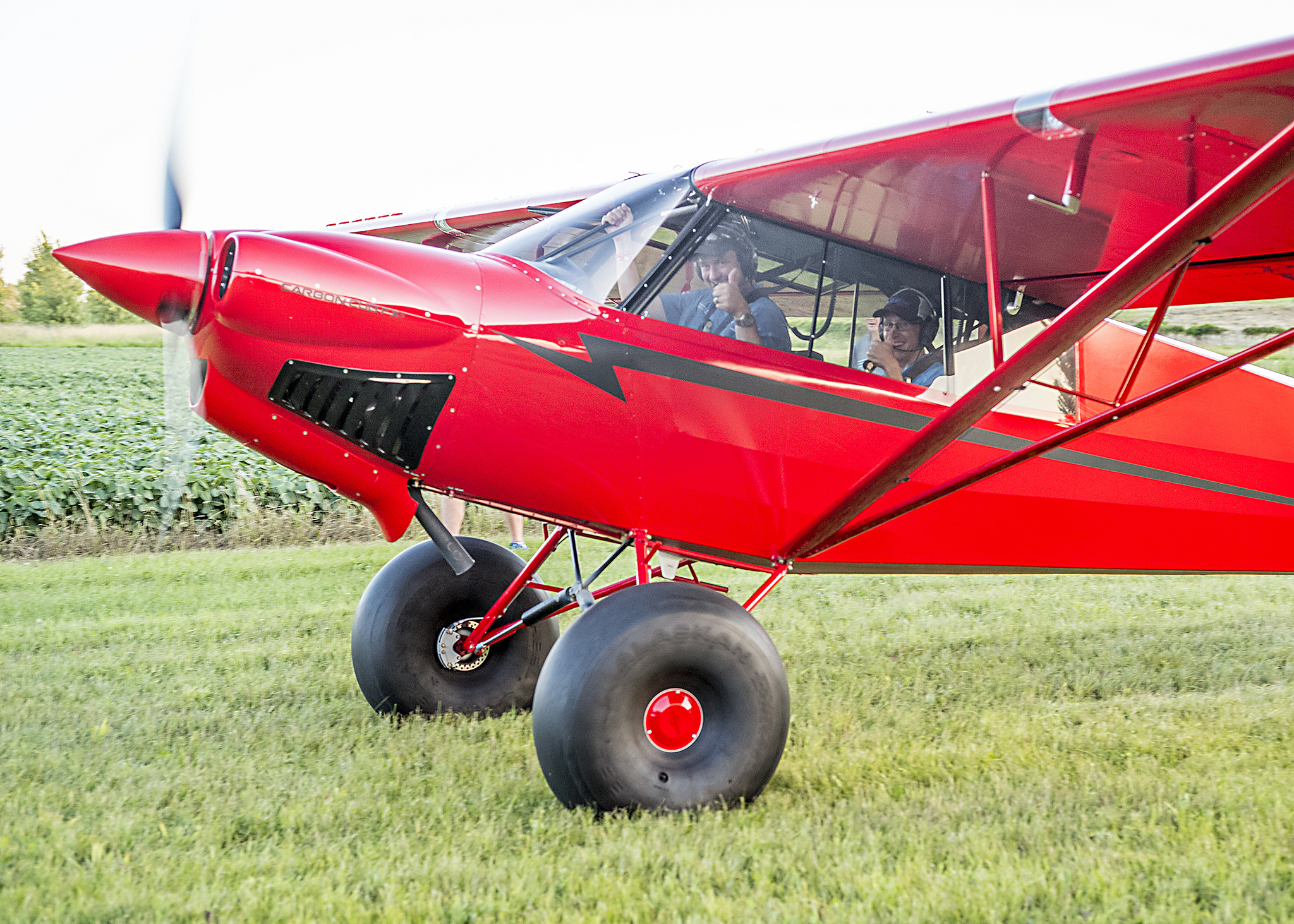
    The end of Day 2 at Osh Kosh had to be the highlight.  I got to hang out with Cub Crafters at the 51WI grass strip just north of the OSH Class D airspace.  There was a free BBQ and I got to take a ride in a Carbon Cub.  My landing from the back seat was a bit rusty, but still a very cool experience.  Buzzing the BBQ area in tandem was pretty neat.

    Photo Courtesy of William Day, copyright 2018, All Rights Reserved

    Day 3 brought some cooler temps and some clouds.  We walked out to the vintage airplanes, spending the morning gawking at Cessna 195s and Wacos.  Then I took the plunge to explore all the vendor hangars.  My idea was to walk around and see if I can find some interesting and innovative technology.  Well, after 2 of the 4 hangars, my head was spinning, so I decided to watch the rest of the airshow to let my brain drain out a bit.

    Photo Courtesy of William Day, copyright 2018, All Rights Reserved

    3 Days was a good amount of time to spend.  I don’t think I could have stayed all week, but only a day or two wouldn’t have been worth it.  I flew up with a former student in his TBM 700, which was a very nice way to travel.  We landed and stayed in Green Bay (KGRB), which was super easy and low stress.  Had a great tailwind on the return and made it to Houston non-stop.

    A few closing observations:

    The Stratos 716X Personal Jet

    If Stratos Aircraft is ever able to bring this to market, it sounds awesome.  400 knots, single engine, single pilot, with 6 seats.  Being a single engine jet, similar to the Cirrus Vision Jet, it’s 100 knots faster, plus with the airflow and engine technology, it doesn’t have that big V Tail in the back, thereby reducing drag.  I have a feeling it would find a good market, but the certification process is a bear to get through.  Just ask Epic.

    The Lancair Mako

    This is a legit airplane.  Lots of thought was put in to the design of the Mako by the new Lancair organization in Uvalde, TX (KUVA).  The airplane was extremely comfortable, capable, and pretty cool.  The stick is in the center, with throttles on the side (where the stick would be in a Cirrus or Columbia).  AC, full Garmin integration, and the cool factor of the nose gear retracting, but not having a gear handle. Higher useful load than a Cirrus or Columbia, it would be a great alternative (and cheaper) to one of it’s certified competitors.

    Avionics

    There is a lot of new avionics technology hitting the market.  Dynon, beloved by experimental enthusiasts, is finding a foothold in the certified world with some neat panels.  It will be an uphill battle to take on Garmin, but there is some potential in the retrofit market to offer a cheaper alternative to the Garmin TXi.

    Speaking of the TXi, I played around with the 10.7″ panel at the Garmin booth.  It is extremely intuitive. Garmin did a great job of making it a simple touch screen interface, easy to use, and easy to learn.

    Avidyne is pushing their iPad integration with the IFD 100 iPad app.  It ties via Wifi or Bluetooth to an IFD 550 or 440 navigator, giving an additional screen in the cockpit to work with.  You have the ability to modify flight plans and such on the iPad and it will show up on the GPS units.

    Photo Courtesy of William Day, copyright 2018, All Rights Reserved

    All in all, Osh Kosh was an experience I’m glad to have finally experienced.  I don’t think I would go every year like some folks, but every few years, especially when my sons are older, seems like just enough for me, but not too much.

    All Photos Courtesy of William Day, copyright 2018, All Rights Reserved


    I got the privilege of going to the EAA AirVenture at Osh Kosh this year.  It was my first Osh Kosh experience.  I’ll be the first to tell you, walking in the gate on the first day is mildly overwhelming.  There are people and stuff everywhere.  Airplanes, tents selling everything from airplane parts to mattresses…

  • Cirrus Approach

    Earlier this year, Cirrus debuted it’s new Learning Management System (LMS), Cirrus Approach. For several years, Cirrus has led the way in online systems training while using several different platforms for it’s LMS. Cirrus Approach is the culmination of lots of sampling and tinkering, and boy, did Cirrus knock it out of the park.

    For those of you unfamiliar with the Cirrus training program, here is the quick rundown. When a pilot who has no Cirrus time buys a Cirrus aircraft, initial transition training is required to familiarize the pilot with the aircraft systems, speeds to fly, power settings, etc. The Cirrus Transition Course is a 3 day that gets a VFR pilot up to speed in the airplane. Under the Cirrus Embark program, those 3 days of training are covered by Cirrus and free to the new owner.

    If the pilot is an IFR pilot, then the 5 day Cirrus Advanced Transition Training Course is required. If the pilot has Cirrus experience, but with a different engine or avionics configuration, there are courses for that too. The Cirrus Embark program covers 3 days of training for most courses for a new Cirrus owner.

    As part of the aforementioned courses, there are systems to learn about and procedures to understand. This is where the Cirrus Approach LMS excels. Cirrus has done a great job of putting together lots of good videos (that are actually interesting but not annoying) on the airplane, systems, how to fly it, etc. for each course. It cuts down greatly on the time that the training instructor has to spend on the ground with the pilot since the pilot has already compiled knowledge through Cirrus Approach.

    Cirrus Approach is accessible online at learning.cirrusapproach.com. To get access to the courses, create an account, then select the Learning Catalog. The courses are categorized based on the type of training (Transition, Advanced Transition, Avionics Differences, Airframe & Powerplant Differences, Recurrent, and Specialty), then further broken down into the type of airplane, engine and avionics (eg. SR22T G6 Perspective+). Make sure the correct engine and avionics configuration is selected! Notice, there is a difference between the SR22T and SR22 (Turbo & Non-Turbo).

    Anyone can do the specialty courses. I would highly recommend for everyone to take the Engine Management course as well as the Icing Awareness Course for you TKS and FIKI operators. The Takeoff & Landing course is a good refresher course for a pilot who hasn’t done any training in a while.

    The Recurrent Training courses are encouraged for all Cirrus pilots. There is an IFR Refresher, a VFR Refresher, and a Skills Refresher. These are recommended to rotate through with a CSIP (Cirrus Standardized Instructor Pilot) on a yearly basis. With a little extra ground, a Flight Review and an IPC can be accomplished yearly using these courses.


    Interested in Initial or Recurrent training in your Cirrus using Cirrus Approach? Contact Texas Top Aviation today!

    Earlier this year, Cirrus debuted it’s new Learning Management System (LMS), Cirrus Approach. For several years, Cirrus has led the way in online systems training while using several different platforms for it’s LMS. Cirrus Approach is the culmination of lots of sampling and tinkering, and boy, did Cirrus knock it out of the park. For…

Leave a Reply

Your email address will not be published. Required fields are marked *