2024 Texas Top Aviation Shangri-La Fly In

It’s that time of year again! Yes, it’s the New Year, but it’s also time to register for the 2024 Texas Top Aviation Fly In. The Aviator’s Academy’s sister company, Texas Top Aviation, is hosting it’s 4th annual fly in event on March 19th-22nd, 2024 at the Shangri-La Resort in Grand Lake, OK.

For those not familiar with the annual Texas Top Aviation Fly In, we’ve been hosting this event since 2019 and it is always well attended and fills up fast. Geared around aviation education, golf, community, and a whole lot of fun, the fly in is always very popular.

This year, we are adding a Par 3 Shootout for early arrivals on Tuesday, March 19th at the Shangri-La’s Battlefield Par 3 Course. The 4th Annual 2 Round Golf Tournament begins on the afternoon of Wednesday, March 20th and finishes up on the afternoon of Thursday, March 21st.

The biggest hit of the week is always the safety seminars on Thursday morning. This year, Texas Top Aviation has secured the talents of Paul New, expert Cirrus, Columbia, and Cessna mechanic, and owner of Tennessee Aircraft services. If you listen to Mike Busch’s podcast, Paul is a regular. Scott Williams, owner of The General Aviation Law Firm, will be presenting on LLC’s and Illegal Charters, while Hank Gibson, owner of Texas Top Aviation and The Aviator’s Academy, will present a study on several different accidents and what can be learned from other’s mistakes.

It’s guaranteed to be a fun week. The Grove Regional Airport in Grove, OK will be our host airport (KGMJ) this year. Sign up soon as space is limited. Registration is only open till February 23rd, 2024. For more information and to register, simply Click Here. We hope to see you there!

Similar Posts

  • The Flight Director as a Backup

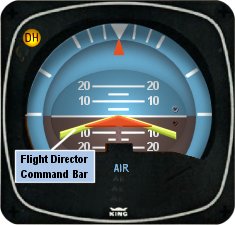
    I’ve noticed that a lot of general aviation pilots tend to ignore the flight director on the attitude indicator.  A lot of pilots don’t even know what it’s there for or how to use it.  Talk to any airline pilot, though, and he or she will tell you how important the flight director actually is.

    In most high performance airplanes, the flight director comes on when the autopilot comes on.  Essentially, the autopilot is following the flight director, which tells the autopilot where to go.  The flight director can also be used with the autopilot off, when hand flying an approach, for example.  By turning the flight director on, it will show you where you need to fly to stay on course and on glide slope.

    Flight Director

    The flight director is most often controlled by the autopilot controller.  The same buttons you use to put the autopilot in heading mode also tells the flight director to follow the heading bug when the autopilot is off.  When you move the heading bug (or change course on the GPS, depending on which mode you have selected), the flight director will show you when you need to turn and when you need to stop turning.  It directs your flight attitude, hence the name.

    I recently discovered it’s a great backup when you have some instruments on the fritz.  I went on a long flight in a steam gauge Piper Malibu and the attitude indicator started reading erratically.  While flying straight and level, it would randomly indicate that I was in a 10 degree bank to the right, swing back and show wings level, then show a 3 degree turn left.  This went on for a while.  We were in VMC conditions, so legality wasn’t a problem, but it was kind of disorienting.

    After a little while of this, the autopilot started acting up.  It would start oscillating the pitch up and down, making it seem like we were going through a moguls course in the air.  I ended up turning the autopilot off and hand flying the airplane.

    This led to a conundrum, since my attitude indicator was unreliable.  I could definitely look outside, since it was VMC, seeing when I was level and when I wasn’t.  That would create a higher workload for me, which on a long flight like I was on, would lead to an increase in fatigue.  The solution?  The flight director!

    I turned the autopilot off, but I left the flight director up.  It wasn’t referencing the bank angle that the attitude indicator was showing since the KFC 150 goes off of the turn coordinator.  So, if I just followed the attitude indicator, I could just keep scanning the instruments and relieve a little bit of my workload.

    It actually worked really well.  By just following the flight director, I was able to stay on course and on altitude with only minor attitude adjustments whenever we hit turbulence.

    So, if you’re attitude indicator and autopilot decide to stop working on you, then bring up the flight director, push the same buttons you would if you were using the autopilot, and it works as a great backup.

  • Make The Upgrade to Pressurization

    Are oxygen cannulas rubbing your nostrils raw?

    Is turbulence giving you back problems?

    Would you like to be above the bumps, breathing without tubes stuck up your nose or a mask on?  Would you like a quiet ride?

    Sounds like you need pressurization.  Need more convincing?

    What’s that you say?  You don’t have a multi-engine rating?  You don’t want to spend the money on a turbo prop?

    Have no fear, there are options galore for you to choose from in the single engine piston marketplace, both certified aircraft and experimental.

    A word of caution, though; once you go pressurized, you don’t go back….

    Here is my review of the certified, pressurized single engine piston options.

    Piper PA46 Malibu/Mirage/M350

    In 1983, Piper shocked the world with an amazing airplane.  The pressurized, Continental TSIO-520 (310 HP) powered PA46 Malibu hit the market in the fall of that year taking the piston world by storm.  A six seat, cabin class, pressurized single engine piston that easily cruised at 190-200 knots while only burning 16-17 GPH. It was awesome.  It even had an air stair door that felt like getting on a private jet.
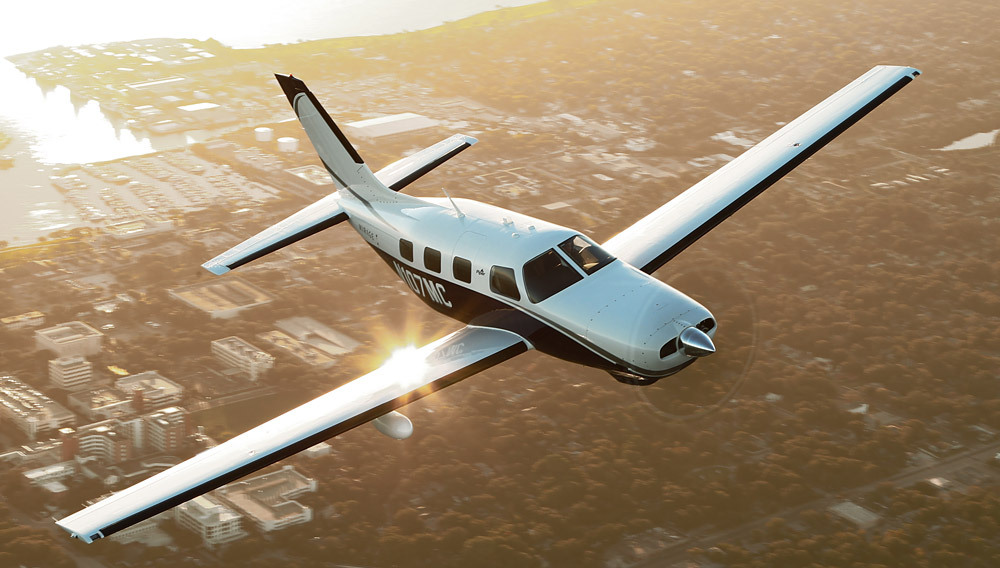
    I love the original Continental powered Malibu, specifically the ’86-’88 models.  Piper initially had hydraulic flaps, which were clunky and had several issues (most notably, the hydraulic system would randomly kick offline while the flaps were in motion at very in-opportune moments).  Piper switched to the electric flaps in ’86, making the ’86-’88 year models very desirable.

    Unfortunately for Piper, the Continental TSIO-520 was not the engine manufacturer’s best product.  There were several Malibu crankshaft problems and engine failures, so much so that Piper decided to go with the Lycoming TIO-540 engine in 1989, creating the Malibu Mirage (all the current Malibu’s operating the -520 engine have been overhauled many times over, so there are no safety concerns with the -520 engine).  The Lycoming powered Mirage (350 HP), cruises a little bit faster than the Continental powered Malibu, but burns about 5 more GPH.  Piper still makes the Mirage, now dubbed the M350, complete with the Garmin G1000 NXi panel.

    The 4 seat, cabin class back seat is very roomy (unlike a Bonanza or Saratoga).  There is plenty of rooms for bags, both behind the back seat and in the handy nose compartment, which is wide enough to fit golf clubs, minus the driver.  The 1600 pound useful load (880 pound payload with full fuel), allows for a lot of people and gear to be loaded on board.  The airplane is a little stingy on CG, though.  You do not want to have a CG that is out of the rear limits.

    The airplane is fun to fly.  It has a heavy elevator, similar to a Bonanza, which requires a lot of trim on landing.  It’s very long wings cause it to float a bit on landing if the pilot comes in too fast.  It’s very docile in stalls and extremely comfortable for cross country flying.  The air conditioning system works very well, though it is still hot on the front seats when sitting on the ramp on a Texas July afternoon.

    Many of the airplanes have upgraded to glass panels.  Most are still equipped with the King KFC 150 autopilot, some with a Yaw Damper, some not.  The KFC 150 is a good autopilot, but when Garmin certifies their GFC 600 for the PA46, that will be a popular retrofit.

    If I had my pick, I would buy an ’86-’88 Malibu with an upgraded Continental TSIO-550 engine.  Climbs a bit better and does a bit better in cruise than the original -520 engine.  See why here.

    I would rate the PA46 line as the best pressurized single engine piston option out there.

    Cessna P210 Centurion

    The P210 was introduced by Cessna in 1978.  It also came with the Continental TSIO-520 engine that the Malibu was certified with.  Climbing at about 700-800 fpm (equal to the Malibu), the P210 cruises at around 190 KTAS as well, burning around 17-18 GPH.  Like the Malibu, the P210 had a Continental TSIO-520 power plant, but, unlike the Malibu, the P210 makes the pilot work to keep the CHTs cool.  With smaller cowl openings and a tighter cowl, cooling isn’t as good as the Malibu.
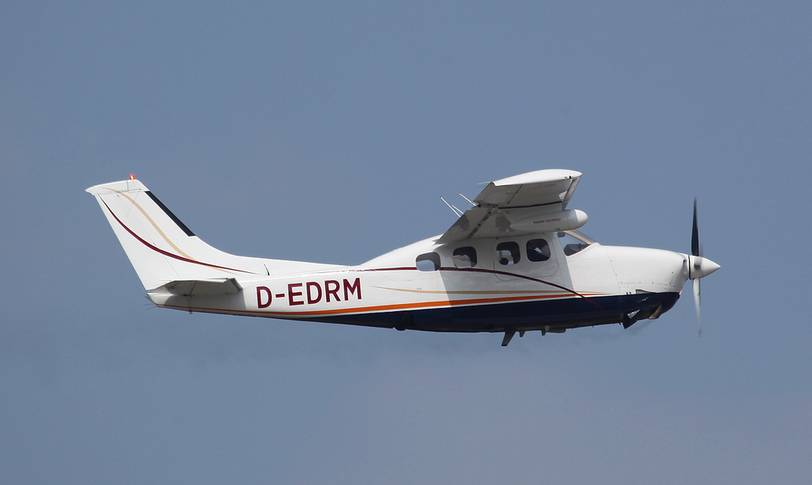
    Even though the P210 has six seats, the forward facing, Cessna style 3 rows aren’t quite as comfortable as the Malibu.  The single door on the pilot’s side makes loading and unloading a bit of a chore (especially compared to the air stair door in the Malibu).  The third row of seats isn’t extremely useful, as the ceiling is lower and the proximity of the second row of seats decreases the amount of leg room, making it uncomfortable for a full size adult.  Most operators remove the pilot’s side second row seat to add an aisle to get to the back row for people and bags.  It also has a smaller cabin then the Malibu.

    There is less baggage in the P210, with the singular baggage compartment accessed through a baggage door behind the cabin.  The Air conditioning system is also not as good as the Malibu.

    It’s hard to get the P210 out of CG and overloaded.  A useful load of 1500 pounds (with 90 gallons of fuel, it drops to only 960 pounds) allows the airplane to be loaded to the gills without being overweight.

    There are some engine upgrades out there for the P210 (the Silver Eagle conversion puts a Rolls Royce turboprop on it).  The best piston conversion is the Vitatoe Conversion that swaps the engine out for a Continental Turbo-Normalized IO-550, which is a much better engine than the -520.  You still have to monitor the CHTs, but cooling is less of an issue.  These are much higher priced on the market, though.

    Because of the size of the cabin and the true reputation the P210 has of being a maintenance hog, I would rate it below the PA46 line.

    Extra EA-400

    There are 3 pressurized, single engine piston airplanes out there today: the Piper PA46, the Cessna P210, and the Extra EA-400.  Extra is the famous German aerobatic aircraft manufacturer that created the Extra 300 and 330.  In the early 2000s, Extra tried it’s hand at the pressurized single market with the EA-400 (Extra also tried to get into the single engine turbo-prop market with the EA-500, but the project fizzled before much progress was made).  Sadly, only 27 EA-400s were built before the company ran into financial trouble.
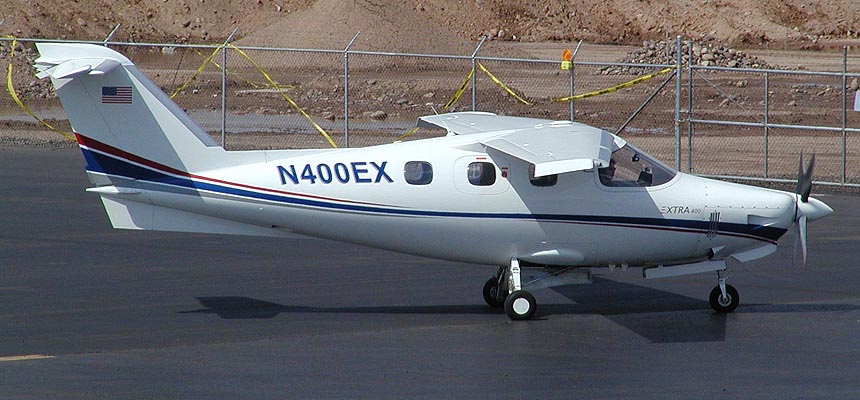
    The concept sounds cool.  A fully composite, pressurized, liquid cooled, cabin class piston.  The engine was the Continental TSIOL-550, liquid cooled power plant.  Liquid cooling means no concern about hot CHTs while you are climbing.  The problem with the engine is that there are so few liquid cooled Continental engines out there, finding a mechanic familiar with one could be an issue.

    I have never flown an Extra 400, but there are several floating around out there.  Most have steam gauges and the STEC-55x autopilot.  The price on the only one on Controller right now is comparable to the P210N but above the Continental powered Malibu.

    If you are in the market, an Extra 400 might be fun to test fly and who knows, you might fall in love with it!

    Experimental Options

    There are a handful of experimental pressurized singles out there.  I have not flown any of them, so I can’t be a good resource on recommending them.  Here is the list, however.
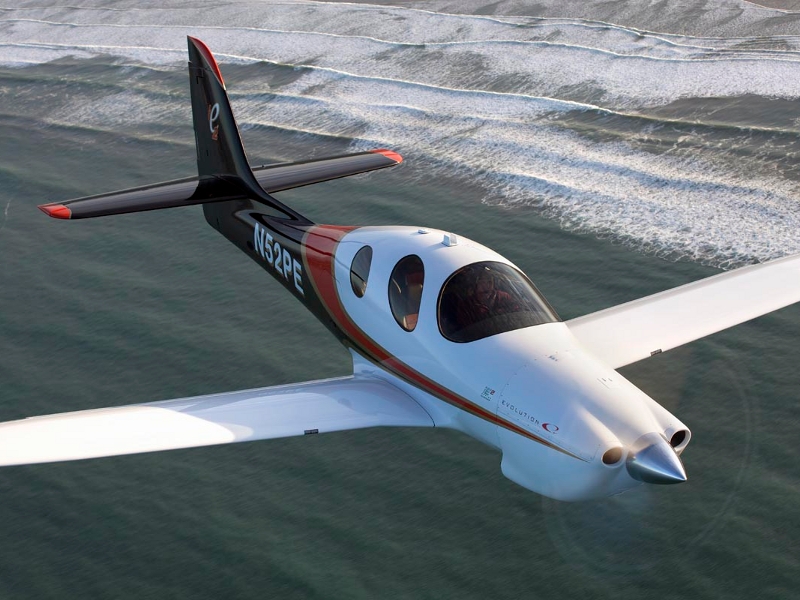
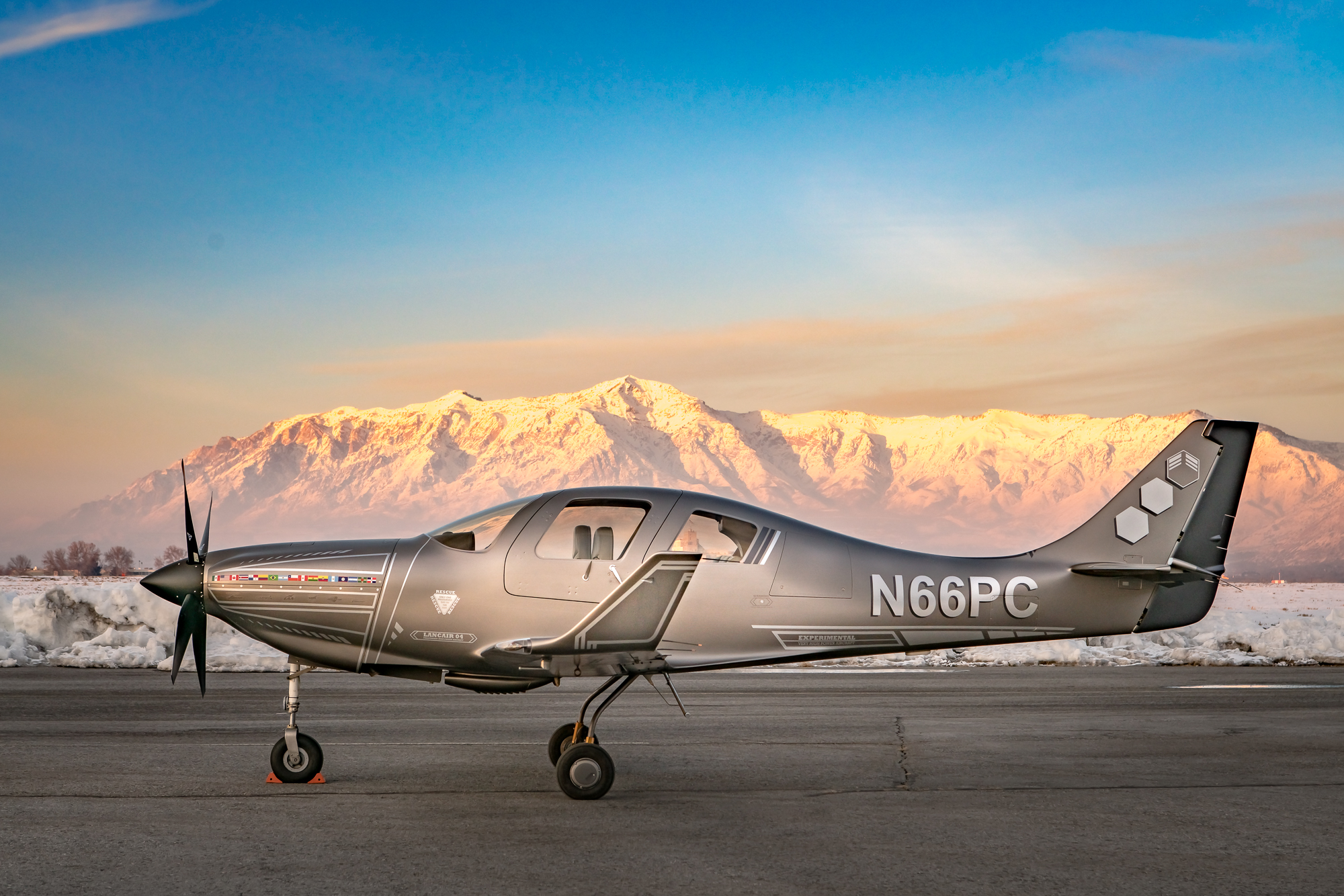
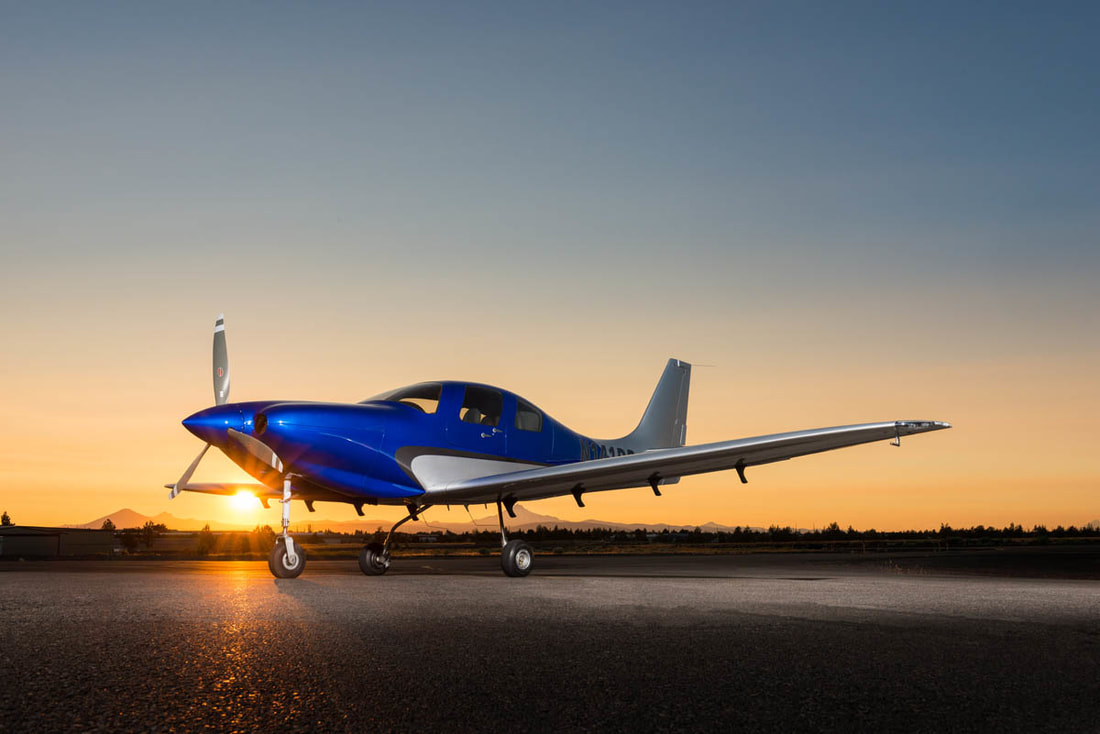
    Lancair Evolution Piston
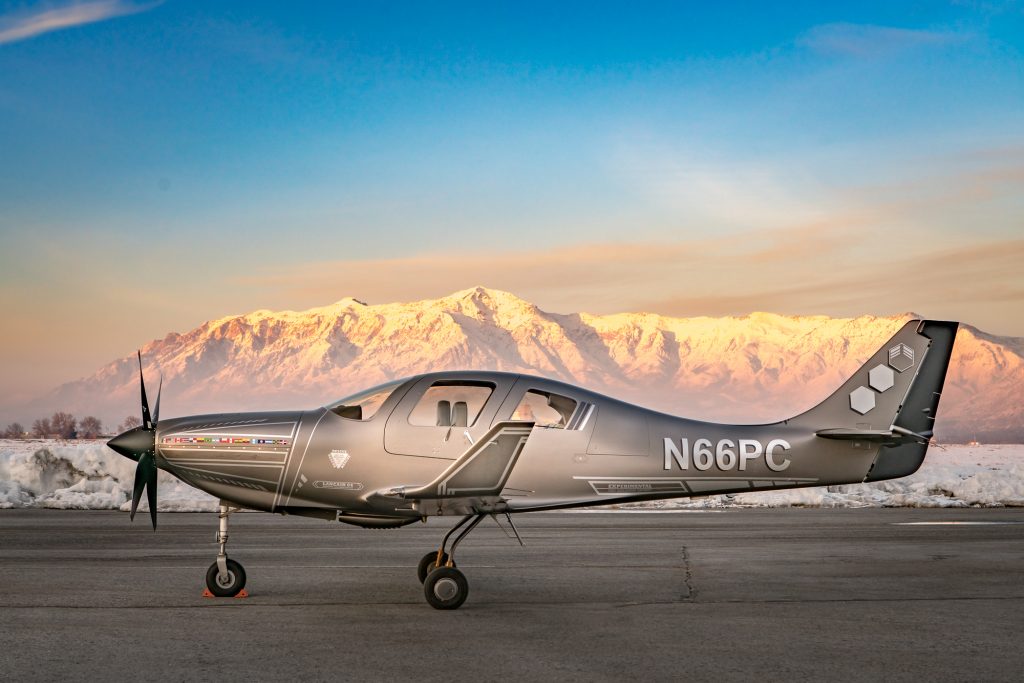
    Lancair IV-P
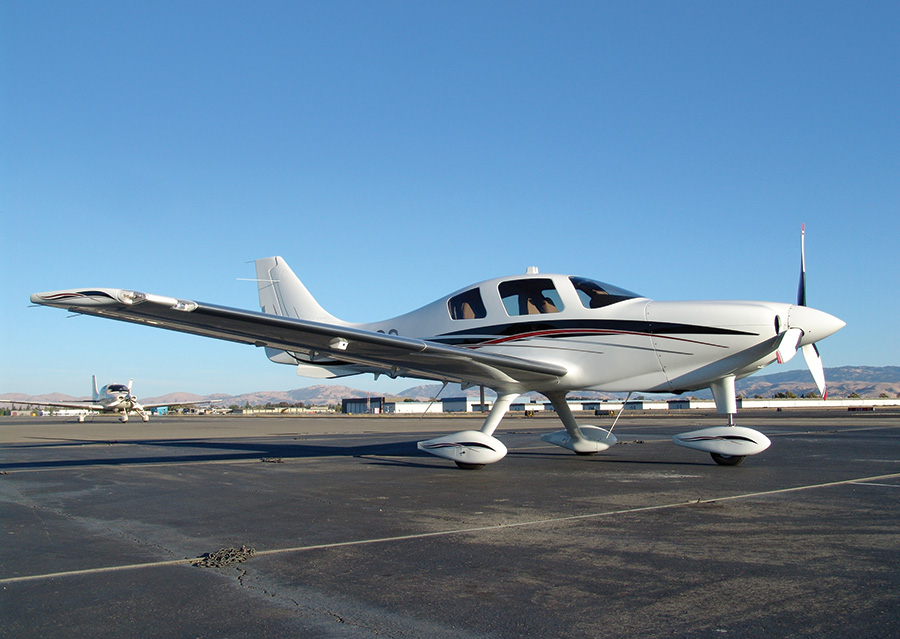
    Lancair ES-P
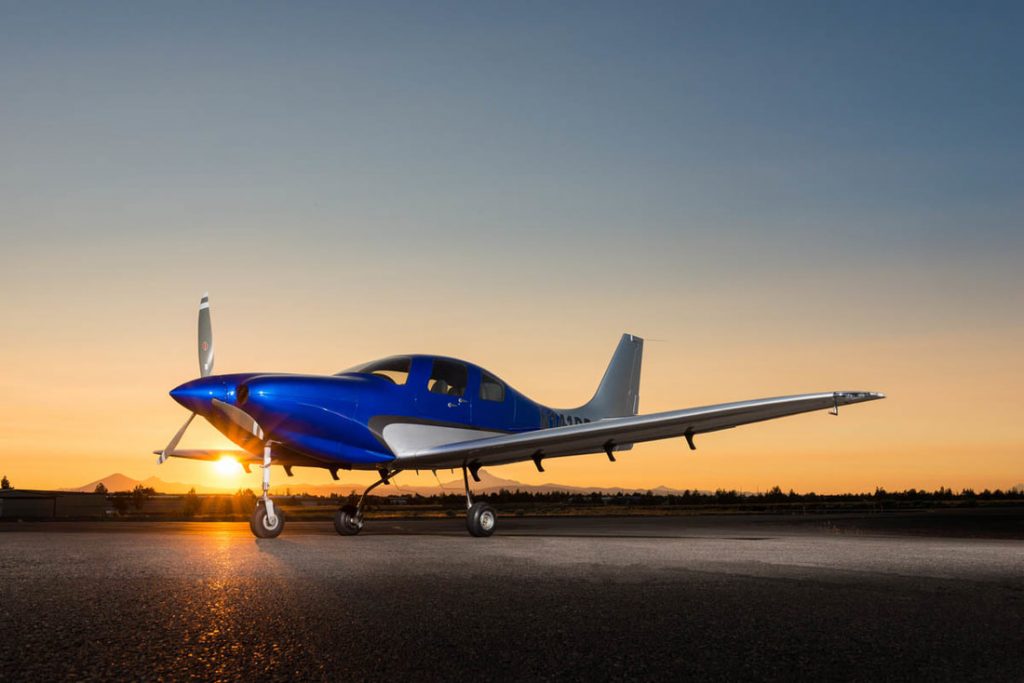
    Lancair LX7

    As far as availability on the market goes, there are 8 Malibus on Controller (1 1986 model) ranging from $315,000 and down, 24 Mirages ranging from $705,000 (equipped with the Garmin G1000) and down, 25 P210s ranging from $405,000 and down, and 2 Extra EA 400s, priced at $369,000 and down.  Check out the available Experimental Lancair options here.

    Have you decided to upgrade, but don’t know what to buy or how to buy it?  Check out Texas Top Aviation’s Acquisition Services.  We’ll get you the best airplane for you, your mission, and your budget.  Contact Us today to find out more information.

  • Avidyne IFD 440 Receives Certification

    Avidyne’s plug and play replacement for the Garmin 430, the Avidyne IFD 440, finally received certification from the FAA last week.  The touch screen GPS unit is being marketed as a simple swap out for the Garmin 430.  This release follows up Avidyne’s release last year of the IFD 540, also a plug and play replacement, but for the Garmin 530.

    The features and touch screen of the GPS units sound quite nifty, but it will be hard for Avidyne to compete with the GTN 750 and 650 from Garmin.  The unit prices for the IFD 540 and 440 will be less (and installation is simpler), but we will see how the company does.

    Avidyne IFD 440

    The STC allows for installation in 1,000 makes and models of aircraft, according to the company, so there are a lot of possibilities for installs.

    In conjunction, Avidyne also released a new version of it’s software for both GPS units.  According to Avidyne, this will unlock multiple features that enhances the capabilities of both units.

    To read more on the IFD 440 and it’s bigger brother, the IFD 540, check out Avidyne’s website.

  • BendixKing Throws It’s Hat in the Glass Panel Ring

    Two pilots walk into an FBO.  “Nice airplane,” Pilot 1 says to Pilot 2.  “What kind of panel do you have in it?”

    “I just went all glass,” Pilot 2 says.  “Put in the Garmin G500 TXi, a GTN 750, and upgraded to the GFC 600 Autopilot.  Even put in the Mid-Continent standby instruments.  It’s a pretty sweet set up.  What about you?”

    “Wow, sounds like it!” Pilot 1 responds.  “I went a different route.  I liked all my old BendixKing instruments, so I stuck with the company.  I put in a BendixKing AeroVue Touch panel, a BendixKing KSN 770 touch screen GPS, kept my KFC 225 autopilot, got the ADS-B out compliant BendixKing KT 74 transponder, and finished it off with a King AeroFlight KI 300 Digital Backup instrument.”

    Wait, what?  BendixKing?

    Yes, my friends, BendixKing is still around.

    We are all used to the latest and greatest Garmin products these days.  Don’t get me wrong, Garmin and Aspen make great retro-fit products for your instrument panel, while Garmin and Avidyne are at the top of the touch-screen GPS market, but don’t forget about BendixKing.  They are staying in the game too.

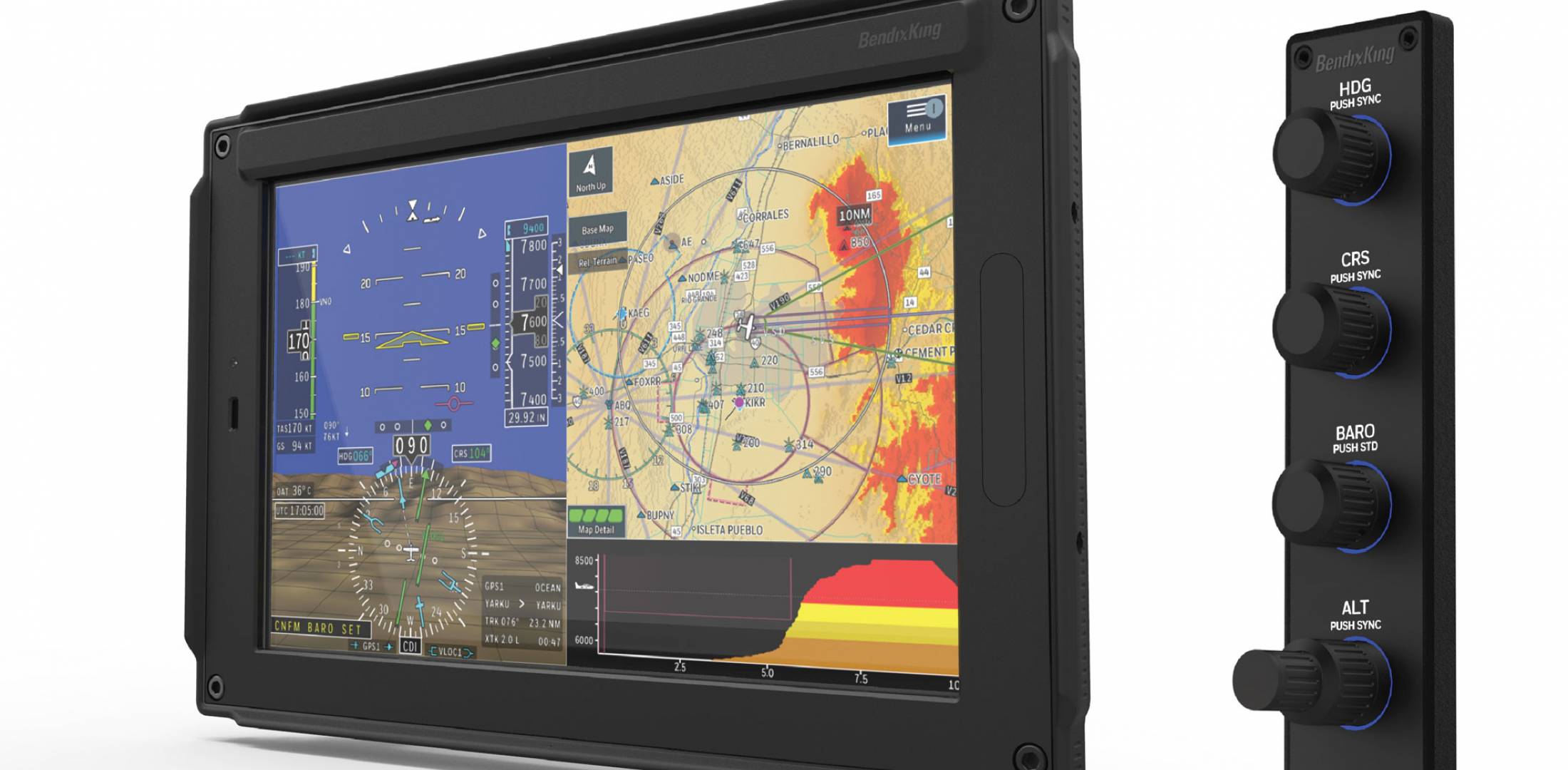
    BendixKing announced in April the xVue Touch for experimental aircraft, with the STC for the AeroVue Touch for certified aircraft coming later this summer.  The xVue and AeroVue touch are pretty nifty units, comparable in features to what Garmin is doing with the G500 TXi and G600 TXi.  It will be difficult to claw back into a competitive market share with Garmin, but BendixKing might find a niche market of followers.

    Let’s take a look at the unit.

    BendixKing AeroVue Touch

    Now, I have not used the BendixKing AeroVue Touch or the xVue Touch, only read about them.  But, what I’ve read sounds pretty cool.  The display has really good resolution (BendixKing brags it is the highest screen resolution available), synthetic vision that comes standard (Garmin & Aspen charge extra for synthetic vision), plus VFR Sectional Charts & IFR High and Low Enroute charts, making paper charts even more obsolete.

    The display is 10.1 inches and can be easily swapped between a full screen instrument mode or a split screen setup as seen above.  Apparently, BendixKing has 3-D moving maps available on the AeroVue Touch too, which is standard.

    The one thing Garmin has on the BendixKing AeroVue Touch right now is engine information.  The G500TXi has a full complement of engine gauges available; the AeroVue Touch doesn’t, yet.  BendixKing says it’s in the works, as well as radio information and autopilot control.  I’m assuming the future autopilot control software would mean you could remotely mount an autopilot controller and input all functions from the AeroVue Touch display.  The nice thing about these future upgrades is all the software updates are free through BendixKing.

    The sticker price for the forthcoming unit is going to be about $12,600.  Garmin’s 10.5 inch G500 TXi is $16,000, while Aspen doesn’t offer anything quite that big.

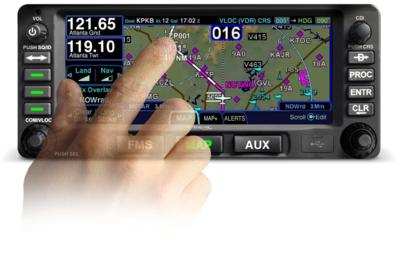
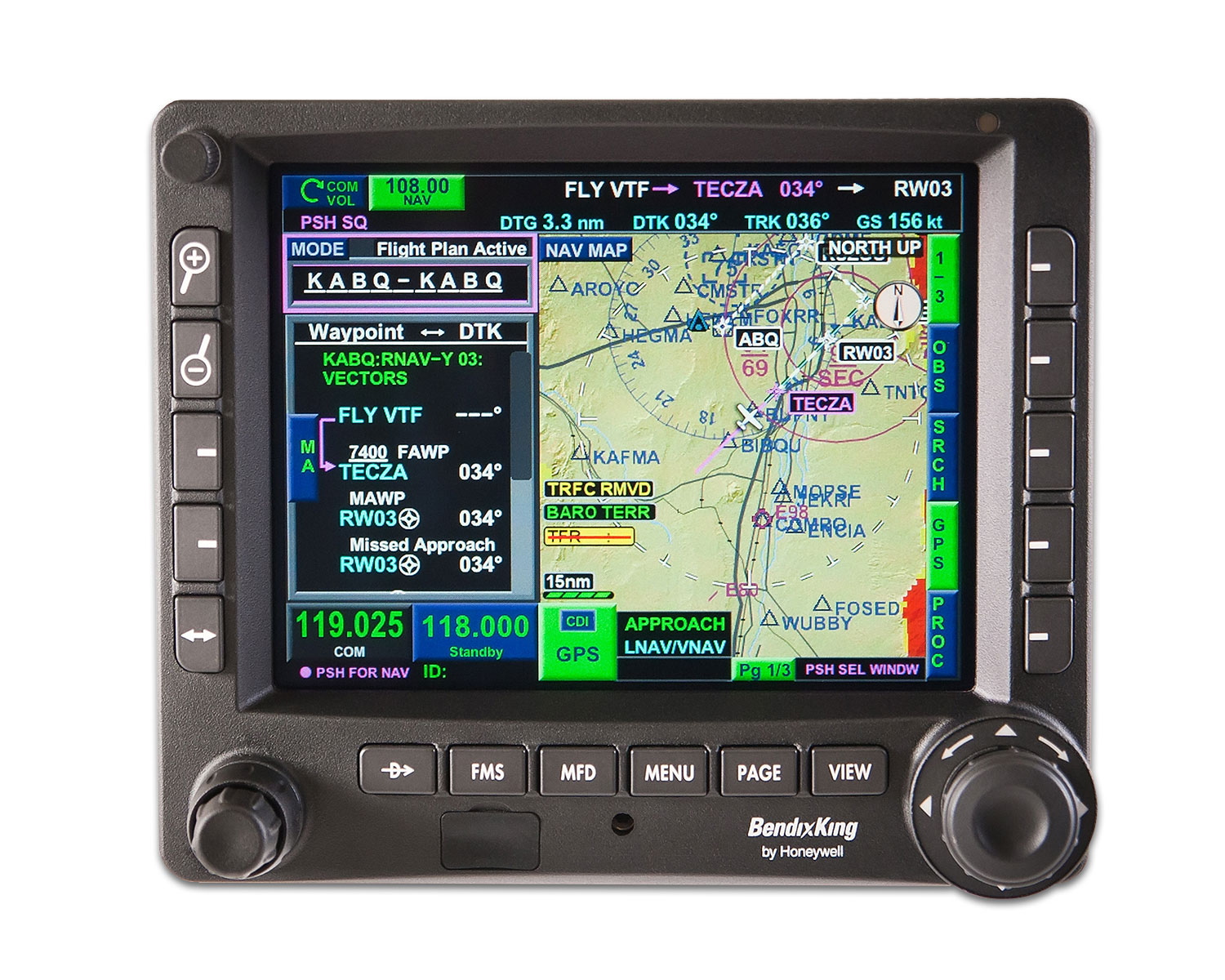
    BendixKing KSN 770

    I’ve been keeping my eye on the BendixKing KSN 770 Touchscreen WAAS GPS for a few years now.  It never really has caught on quite like the Garmin GTN 750 or the Avidyne IFD 540.  BendixKing took the same route that Avidyne did in creating a hybrid touch GPS (or mini-MFD if you want to look at it that way) where a pilot can perform functions either using the touch screen or utilizing soft keys on the edges.  I like the hybrid touch approach as I have been bounced around in turbulence while trying to tap something into a Garmin GTN 750 and it can prove difficult.

    Similar to the AeroVue Touch, BendixKing utilized split screen technology in the KSN 770.  It’s a full WAAS unit that is already certified.  It’s sticker price is $14,200, compared to the Garmin GTN 750 at $17,200 and the Avidyne IFD 540 at $15,000.

    Other BendixKing Gadgets

    Here are some other BendixKing Gadgets both available now and in the works:

  • The Go Around Button

    Back in the old days, when flying an approach in an early Cirrus SR22 (circa 2004; yes, in airplane technology, those were the old days), performing a missed approach procedure was a lot of work.  You were low to the ground and weren’t able to see the runway.  Then, you had to start climbing so you don’t hit the ground, then push a lot of buttons in order to get the GPS and autopilot set fly the missed approach procedure.  It was very easy to get distracted with button pushing, then forget to fly the airplane, putting yourself and passengers in very unsafe circumstances.  The go around button has changed all that.

    Going Missed the Old Fashioned Way

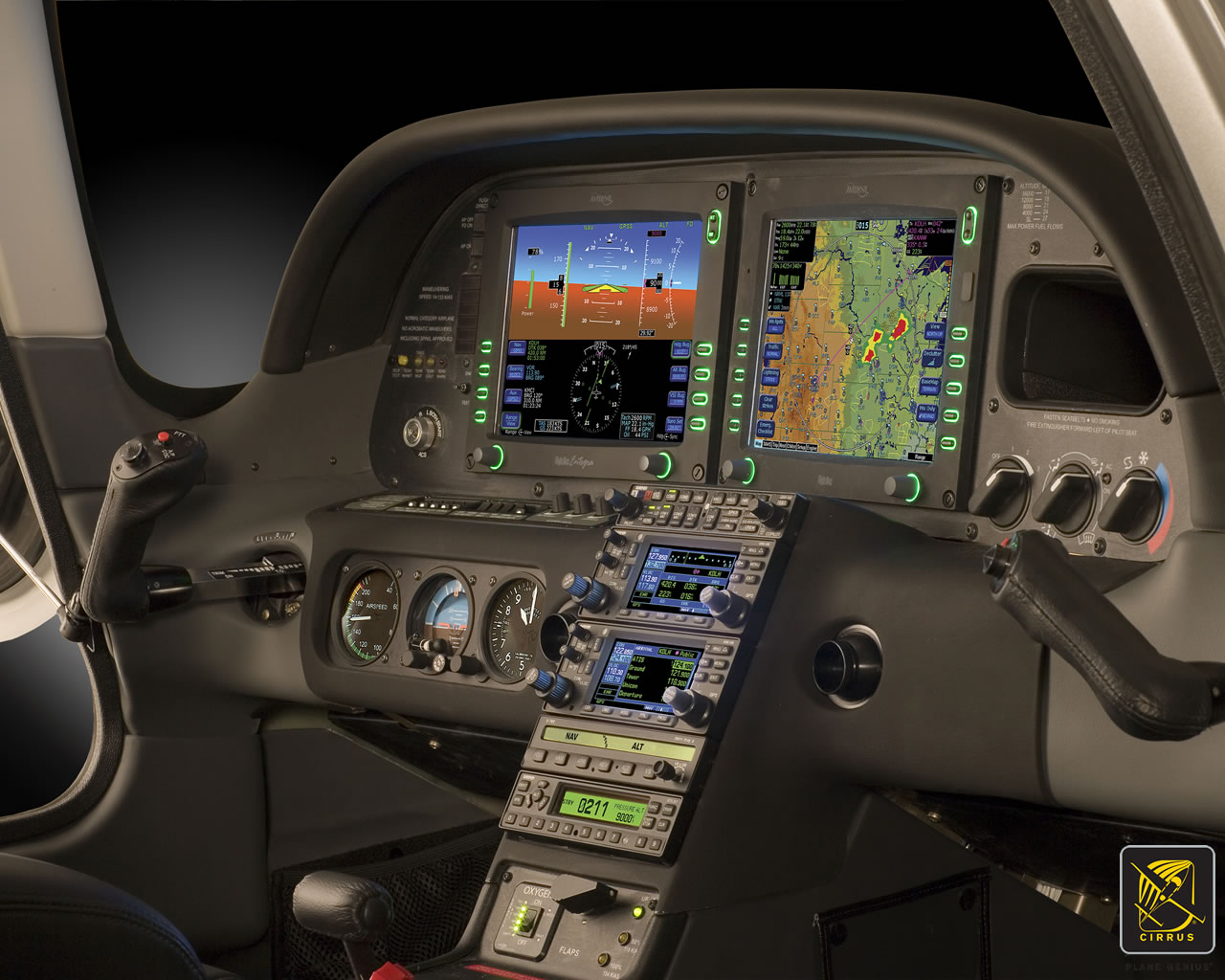
    Let’s stick with our example of the 2004 Cirrus.  The SR22 in 2004 was equipped with the Avidyne Entegra system, complete with dual Garmin 430 GPS units, and an STEC 55x Autopilot.  A very capable IFR flying machine (we could use the same example of a 2004 or 2005 Lancair Columbia 350 or 400 that was equipped the same way, except the screens were vertical instead of horizontal).

    Avidyne Cirrus Go Around Button

    We’ll use the ILS 15 at the Temple airport, KTPL, for our example.  You pass TPL, the outer marker at 1,683 with the glide slope already centered.  Everything is going well so far.  The number 1 Garmin 430 is set to VLOC and the autopilot is showing NAV and APR for the lateral guidance and GS on the vertical, tracking the glide slope.  The last weather report stated the clouds were Broken at 500 feet, so it appears like you’ll be able to get in on the approach.

    As you get closer to the Decision Altitude, the clouds aren’t letting up at all.  You hit 1,000 feet on your altimeter, 120 feet above the minimums, and you still can’t see a thing.  Another 100 feet lower doesn’t change anything, so you elect to proceed with the missed approach.  This means things are about to get busy.

    Here’s the process:

    • Fly the airplane first, meaning shut off the autopilot, pitch the nose up to about 7 degrees, TRIM, add full power, retract the flaps, and step on the right rudder
    • The Garmin 430 is now in SUSP mode, meaning the missed approach point is locked in as the active waypoint.  So, you have to press the OBS button to cause the GPS to cycle over to the missed approach procedure
    • You have to press the VLOC button on the Garmin 430 in order to change the CDI back to GPS
    • You have to re-engage the autopilot by pressing NAV twice (which engages GPS Steering mode)
    • You have to reset your altitude bug (if you hadn’t set it for the missed approach altitude previously)
    • You have to press VS and ALT on your autopilot to have the STEC continue the climb

    That’s a lot of work, isn’t it?  Plus, that’s an extensive amount of head down time in the cockpit, with your eyes looking elsewhere other than the instruments while hand flying.  All very low to the ground, I might add.  Can you see how this can be dangerous?  (Note:  The Avidyne IFD 550 has made this a little easier with automatically switching from VLOC to GPS and automatically engaging the missed approach procedure in the flight plan)

    The advent of the Go Around Button has streamlined the process, leading to safer operations where it matters most.  The functions of the Go Around Button vary based on the airplane, but here are three examples, the Garmin G1000 Cessna Corvalis TT, the Garmin G1000 Piper Mirage, and the Garmin Perspective Cirrus SR22.

    Cessna Corvalis TT

    We’ll take the above situation and swap out the airplanes.  Gone is the 2004 Cirrus SR22.  Insert a 2008 Cessna Corvalis TT, equipped with the Garmin G1000 suite and the GFC 700 autopilot.  The go around button is positioned directly above the twist in throttle.

    Cessna Corvalis G1000 Go Around Button

    When you push the Go Around Button, here’s what the system does:

    • Disconnects the Autopilot
    • Sets the Flight Director for 7.5 degrees pitch up (which is about your normal climb angle) and wings level
    • Switches the CDI back to GPS
    • Takes the GPS out of SUSP mode and cycles the flight plan to the first waypoint on the missed approach procedure

    Here’s what you have to do:

    • Follow the flight director by pitching the nose up and TRIM
    • Add full mixture, prop and throttle (prop & throttle should be full already)
    • Retract the flaps
    • Step on the right rudder
    • Re-engage the autopilot, then press NAV and VS (or FLC) and set your altitude bug if it isn’t already set

    Not too bad, eh?  Makes the whole situation streamlined and safer.

    Piper PA46-350P Mirage

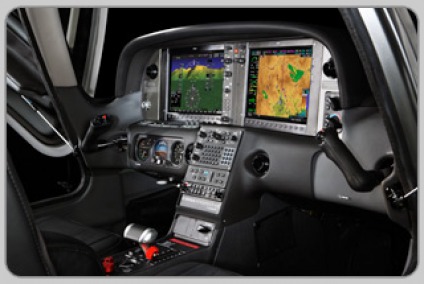
    Same situation, different airplane.  You’ll notice the procedure for the Piper Mirage is almost exactly the same as the  Corvalis procedure.  The difference between the two airplanes is where the autopilot controller is.  In the Corvalis, the autopilot controller is positioned on the left side of the MFD, making it easy to scan back and forth while pushing buttons on the autopilot.

    The Piper Mirage autopilot controller is positioned below both screens and in front of the power quadrant. With this positioning, the pilot’s eyes have to go a lot further to see which autopilot button he is pushing. In this case, it becomes very important to get the airplane climbing and trimmed before going down to engage the autopilot.

    As in the Corvalis, here is what the Go Around button does:

    • Disconnects the Autopilot
    • Sets the Flight Director for 7.5 degrees pitch up (which is about your normal climb angle) and wings level
    • Switches the CDI back to GPS
    • Takes the GPS out of SUSP mode and cycles the flight plan to the first waypoint on the missed approach procedure

    And here’s what you have to do:

    • Follow the flight director by pitching the nose up, then TRIM
    • Add full mixture, prop and throttle (prop & throttle should be full already)
    • Retract the flaps
    • Step on the right rudder
    • Re-engage the autopilot, then press NAV and VS (or FLC) and set your altitude bug if it isn’t already set

    Cirrus SR22

    Cirrus Perspective Go Around Button

    This time, we’ll use the 2010 Cirrus SR22T with the Garmin Perspective and GFC 700 Autopilot. One thing I really like about how Cirrus configured their system is where the Go Around button is.  It’s actually on the throttle itself, making it much more intuitive.  This way, you can press the Go Around button while adding full throttle.

    There is one major difference between the Garmin Perspective in the Cirrus and the G1000 in the Corvalis. When you press the Go Around button in the Cirrus, the autopilot actually stays on.

    Here’s what happens when you press the Go Around button in the Cirrus:

    • Flight Director pitches to 7.5 degrees pitch up and wings level
    • AP Mode switches to Go Around mode, following the flight director
    • GPS comes out of SUSP mode
    • CDI switches back to GPS

    All the pilot really has to do is add power, take the flaps up, then press NAV on the GFC 700 to get the autopilot following the missed approach procedure.

    If you aren’t familiar with the Go Around button or haven’t used the one in your plane lately, it’s good to go up with a knowledgeable instructor and fly a couple of approaches where you perform the published missed approach afterward.  That way, he or she can assist you through the first missed approach, then give you pointers until  you get comfortable with the Go Around button.

Leave a Reply

Your email address will not be published. Required fields are marked *